Lowering the streaming quality is the quickest way to make your mobile data last longer on JioHotstar. While a video is playing, tap the screen, open the settings or quality option in the player and choose a lower level. Switch back to Auto or a higher level when you are on Wi-Fi.
The right choice depends on your screen and your data balance. A phone screen looks fine at a modest quality, while a big TV needs a sharper picture. Below you will find where the options sit on each device, what they mean and a few other easy ways to save data.
- Change quality from the settings or quality icon inside the video player
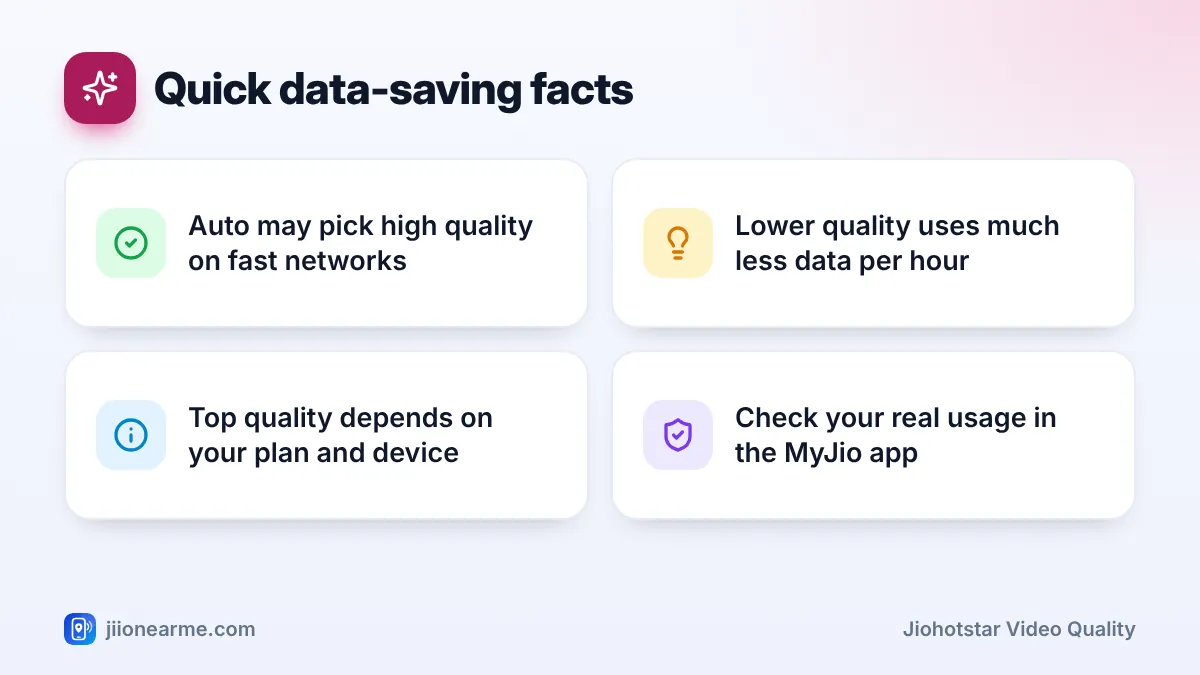
- Auto adjusts to your connection, but it can choose high quality on fast 4G or 5G and use more data
- Pick a lower level on mobile data and a higher one on Wi-Fi, JioFiber or Jio AirFiber
- Your plan, device and the title decide the highest quality you can select
How JioHotstar Video Quality Options Work
JioHotstar streams the same video at different resolutions. Higher resolution means more detail on screen and more data used every minute. The player normally offers a mix of these:
- Auto: the app picks a quality based on your internet speed and keeps adjusting it as your connection changes.
- Low levels: often shown as a data saver option or a low resolution such as 360p or 480p. These use the least data.
- Middle levels: usually HD or 720p, a good balance for most phone screens.
- High levels: Full HD (1080p), and 4K on some plans and devices. These give the sharpest picture and use the most data.
Exact labels differ between the mobile app, the website and TV apps, and they can change with app updates. The highest level you see also depends on your subscription and device. If your plan or phone does not support Full HD or 4K, those options will not appear.
On a fast Jio True 5G or strong 4G connection, Auto may choose a high quality simply because the network can handle it. The picture looks great, but your daily data can run out quickly. On limited mobile data, a fixed lower level is safer.
How to Change JioHotstar Video Quality on Your Phone
The steps are the same on Android phones and iPhones. Menus can look slightly different depending on your app version.
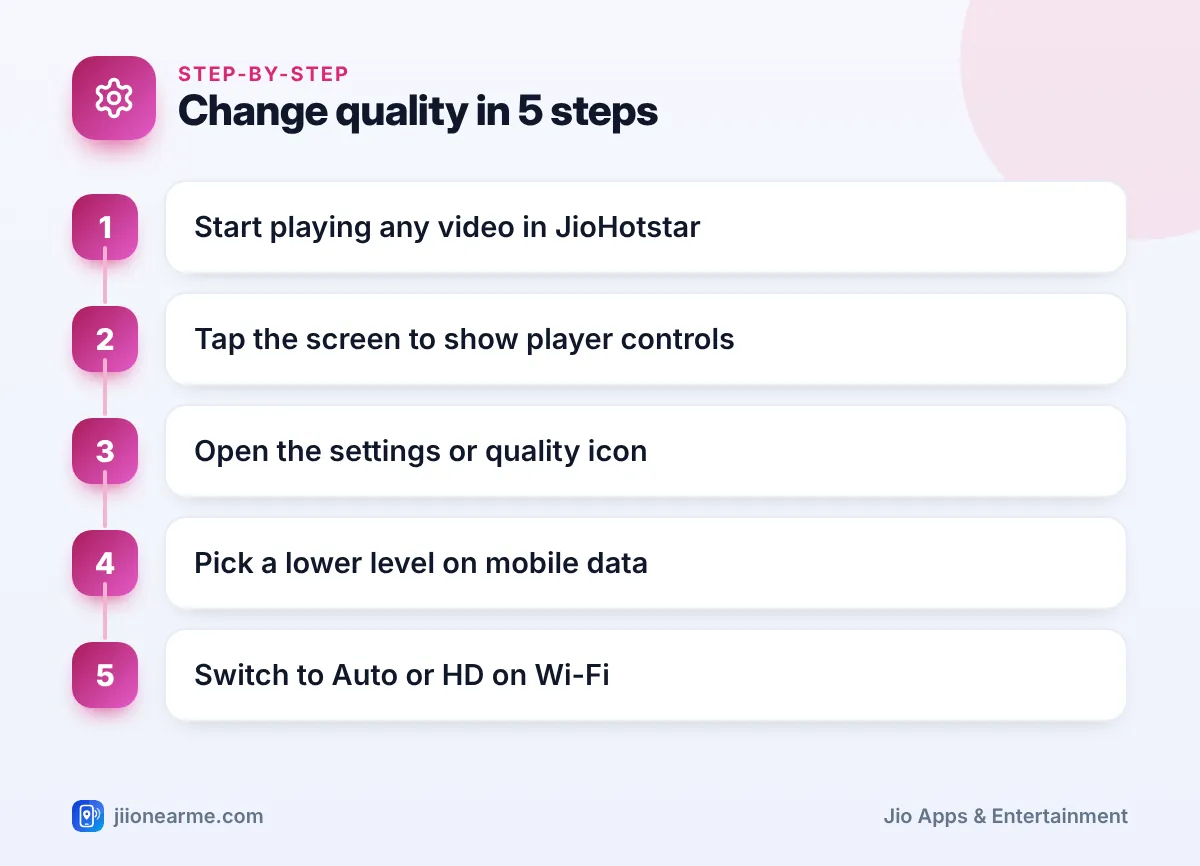
- Open the JioHotstar app and start playing a movie, episode or match.
- Tap once on the video to show the player controls.
- Tap the settings (gear) icon or the quality option. On some versions it sits inside a three-dot menu.
- If the menu shows several choices, select Quality or Video quality.
- Choose a lower level for mobile data, or Auto or a higher level for Wi-Fi.
- Close the menu. The video carries on at the new quality after a moment.
In some app versions the choice applies only to the current video. If the next episode goes back to Auto, repeat the steps or look for a default setting, explained in the next section.
On the JioHotstar website
Move your mouse over the video while it plays and click the settings icon in the player. Pick the quality you want from the list. If your laptop is using a hotspot from your Jio phone, choose a low level, because the hotspot uses the same mobile data.
On a smart TV or set-top box
Press OK or the up or down button on your remote to bring up the player controls. Move to the settings or quality icon and select a level. A TV on JioFiber or Jio AirFiber can usually stay on Auto or a high level. If the video keeps buffering, step down one level.
Setting a Lower Default for Mobile Data
Changing quality every time you press Play gets tiring. Some versions of the app include a default setting. Open My Space, tap the gear or settings icon and look for an option such as Video quality, Streaming quality or a data saver switch.
If your version offers separate choices for Wi-Fi and mobile data, set mobile data to a low or medium level and Wi-Fi to Auto or high. While you are there, turn on any download over Wi-Fi only option so downloads never use your mobile data by mistake.
If you cannot find a default setting, your app version may only allow changes inside the player. Keep the app updated from the Play Store or App Store, as settings are added and moved over time.
After changing the setting, watch one episode on mobile data and then check your data usage in the MyJio app. Comparing it with an earlier episode shows you exactly how much the lower setting saves.
How Each Quality Setting Affects Data and Picture
This table gives a general idea. Actual data use varies by title, because fast-moving sports use more data than a talk show at the same setting.
| Setting | Picture on a phone | Data use | Best for |
|---|---|---|---|
| Data saver or lowest | Soft but watchable | Lowest | Low balance, weak signal |
| Low to medium (around 480p) | Clear on most phones | Low to moderate | Daily viewing on mobile data |
| HD (720p) | Sharp on phones | Moderate to high | Mobile data when you have plenty left |
| Full HD or 4K | Very sharp, best on big screens | High to very high | Wi-Fi, JioFiber, Jio AirFiber |
| Auto | Changes with your speed | Varies, often high on fast networks | Wi-Fi and home broadband |
On a small phone screen, the difference between a medium level and Full HD is often hard to spot. On a large TV it is obvious. So save the high settings for the big screen and keep your phone on a lower level.
Other Ways to Save Mobile Data on JioHotstar
Quality is the biggest factor, but a few habits help too.
- Download on Wi-Fi. Save episodes at home and watch them offline on the move.
- Use your phone’s data saver. Android has a Data Saver option in network settings. On an iPhone, look for Low Data Mode under Mobile Data options.
- Stop autoplay from running on. If the next episode starts by itself, close the player when you are done so it does not keep streaming.
- Watch your balance. Check remaining data any time in the MyJio app. Jio also sends usage alerts by SMS as you use up your data.
- Prefer Wi-Fi for long sessions. A full match or a movie marathon is best saved for home broadband.
Why the Picture Quality Changes on Its Own
If the picture suddenly turns blurry, it is usually not a fault. On Auto, the app lowers quality when your speed drops, then raises it again when the signal improves. Weak indoor coverage, a crowded network during a big match or a slow Wi-Fi router can all cause this.
If video keeps buffering even at a low level, restart the app, switch Airplane mode on and off, or restart your router. For ongoing network problems on your Jio number, call 198 from your Jio phone to register a complaint.
Frequently Asked Questions
Does lowering JioHotstar video quality really save data?
Yes. A lower resolution sends less video information every minute, so the same episode uses noticeably less mobile data. The exact saving depends on the title and the level you pick.
Why can't I see Full HD or 4K options?
The highest quality depends on your plan, your device and the title itself. Some plans, phones and older TVs cap the quality, and not every title is available in 4K.
Will my quality choice apply to every video?
That depends on the app version. Some versions remember your choice, while others reset to Auto for each new video. If it keeps resetting, look for a default quality option in the app settings.
Does video quality affect downloads too?
Downloads have their own quality choice, which you pick while downloading or set in the app settings. A lower download quality means smaller files and less data used.
What quality should I use on Jio True 5G?
If your plan gives you plenty of data, HD or Auto works well. If you are watching on a daily data limit, a fixed medium level still looks good on a phone and helps your data last the whole day.
Wrapping Up
Changing JioHotstar video quality takes only a few taps in the player. Choose a lower level on mobile data, switch to Auto or a high level on Wi-Fi and TV, and check your usage in MyJio once to see the difference. With those simple habits, you can keep watching without running out of data halfway through the day.
JIo Near me is an independent guide and is not affiliated with Reliance Jio. App menus, plans and policies can change – always confirm current details in the official MyJio app or on jio.com. We will never ask for your OTP, PIN or passwords.
