
To add JioTV favourite channels, play a channel and tap the heart or star icon near the player. The channel is then saved to your Favourites list, so you can open it in one tap instead of scrolling. To shorten the channel list, open the live TV section and pick a language, such as Hindi or Tamil, or a category, such as News, Movies or Sports.
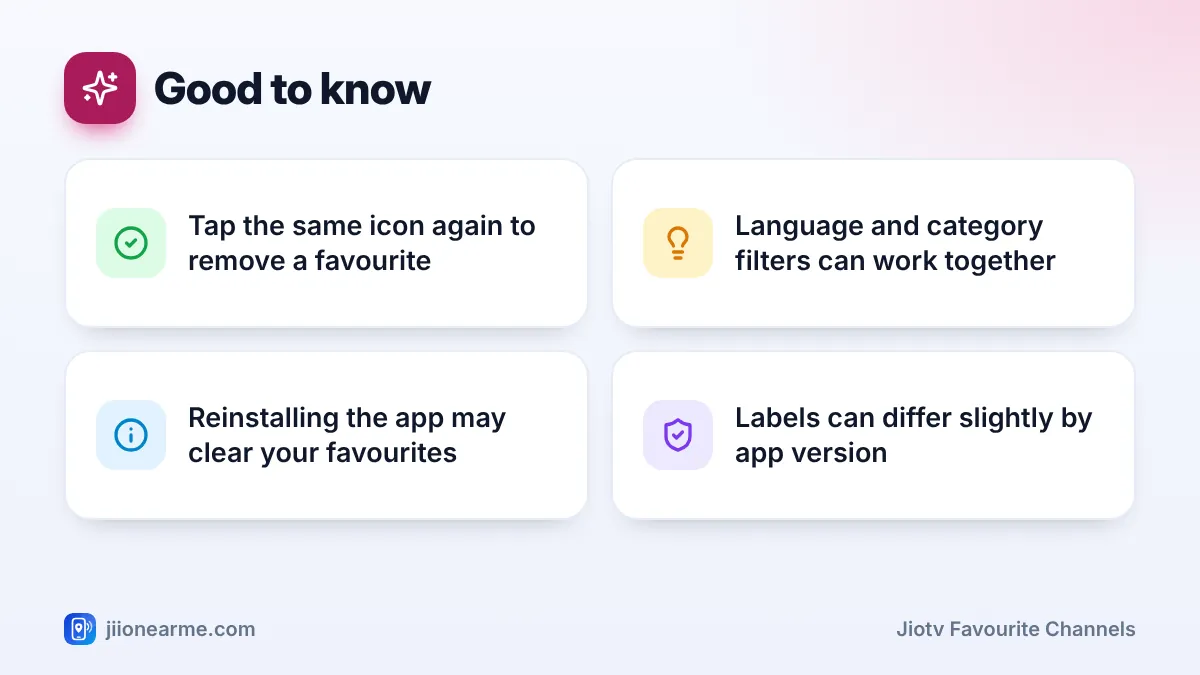
Both features take a minute to set up and work much the same way on Android phones and iPhones. Icons and button names change a little between app versions, so if your screen looks different, look for similar labels in the same area.
- Tap the heart or star icon on a channel to add it to your JioTV favourites
- Your saved channels appear in a Favourites tab, filter or row in the app
- Language and category filters cut a long channel list down to what you actually watch
- Set your preferred languages in Settings so the home screen suggests more relevant channels
Why Favourites and Filters Make JioTV Easier
JioTV carries a long list of live channels in many languages and genres, but most people watch only a handful. Scrolling past dozens of logos every time you open the app is slow, especially on a weak connection.
Favourites and filters fix two different problems:
- Favourites are channels you pick yourself. They stay in your list until you remove them.
- Language filters show only channels in the languages you choose.
- Category filters show only one type of channel, such as news, kids or devotional.
Use favourites for your daily channels and filters when you want to explore what else is on.
How to Add JioTV Favourite Channels
First, sign in to JioTV with your Jio number and make sure your plan is active. Then follow these steps.
- Open the JioTV app and go to the live TV or channels section.
- Find a channel you watch often. Scroll, tap the search icon or apply a filter (explained below).
- Tap the channel so it starts playing.
- Look near the player or the channel name for a heart or star icon. On some versions it sits inside the three-dot (⋮) menu as Add to Favourites or similar.
- Tap it. The icon usually fills in or changes colour to show the channel is saved.
- Repeat for every channel you want quick access to.

Some versions also let you long-press a channel tile to see a favourites option, which is quicker for adding several channels.
Where to find your saved channels
Look for your favourites in one of these places:
- A Favourites tab or filter chip at the top of the channels list
- A My Favourites row on the home screen
- The menu (☰) or profile area, under a favourites option
Removing a channel from favourites
Open the channel and tap the same heart or star icon again. It goes back to an outline, and the channel drops out of your list.
Keep your favourites list short, ideally only the channels you watch every week. A short list is faster to scan on a small screen. Use the filters below for occasional browsing instead.
How to Filter JioTV Channels by Language
The language filter is the quickest way to trim the list if your family watches in one or two languages.
- Open the live TV or channels section.
- Look for a Language filter at the top of the list. It may be a drop-down, a row of chips or a filter icon that looks like a funnel or sliders.
- Select the language you want, such as Hindi, English, Marathi, Bengali, Tamil, Telugu, Kannada, Malayalam or Gujarati. The choices depend on the channels on offer at the time.
- The list now shows only channels in that language. Some versions let you pick more than one language together.
- To see every channel again, clear the filter or choose All.
Some broadcasters run separate channels for different languages, such as a sports channel with a Hindi feed and a Tamil feed. Each feed is listed under its own language, so pick the one you prefer and mark that one as a favourite.
Filtering by Category: News, Movies, Sports and More
Category filters, sometimes called genres, group channels by type. They work alone or together with a language filter. For example, choose Telugu and then News to see only Telugu news channels.
| Category | What you usually find | Good for |
|---|---|---|
| News | National, regional and business news | Live updates and debates |
| Entertainment | General channels with serials and reality shows | Daily soaps |
| Movies | Film channels in different languages | Weekend viewing |
| Sports | Sports channels and event feeds | Matches and highlights |
| Kids | Cartoons and children’s shows | Family time |
| Devotional | Religious discourses, aartis and bhajans | Morning and evening prayers |
| Music and others | Music, lifestyle, infotainment, educational | Background TV |
Category names can change. If you cannot find a channel through filters, search for it by name.
Channels are added and removed when agreements with broadcasters change. If a favourite channel disappears from your list, it may no longer be on JioTV. Search for it by name later, or pick a similar channel in the same language.
Setting Your Preferred Languages for the Home Screen
When you first sign in, JioTV usually asks you to choose preferred languages. These shape which channels and shows the home screen suggests. If you skipped that step, or someone else in the family watches in another language, change it:
- Open the menu (☰) or tap your profile icon.
- Go to Settings.
- Look for Languages, Preferred Languages or a similar option.
- Tick the languages you want and untick the rest.
- Save, or simply go back. The home screen refreshes with suggestions in those languages.
This setting mainly changes what is recommended to you. It does not switch a channel’s audio, so pick the channel feed in your language instead.
When Favourites or Filters Do Not Work
- The heart or star icon is missing. Update JioTV from the Play Store or App Store. Older versions may place the option elsewhere.
- Your favourites have disappeared. This can happen after clearing app data, reinstalling the app or moving to a new phone. Sign in with the same Jio number and add them again. Keeping a short note of your channel names makes this quick.
- A filter shows no channels. Clear all filters and start again. A rare language combined with a narrow category may simply have no channels.
- Channels will not play at all. Check that your Jio plan is active in the MyJio app. If the problem continues, call 199 from your Jio number for help.
Modified JioTV apps and APK files from websites can carry malware and may try to capture your OTP. Install JioTV only from the Google Play Store or the Apple App Store, and never share an OTP with anyone.
Frequently Asked Questions
Will my JioTV favourites show up on a new phone?
That depends on the app version. If you sign in on a new phone with the same Jio number and your list is empty, add your channels again. It only takes a minute.
Can I filter JioTV channels by more than one language?
Some versions let you select several languages at once in the filter. If yours allows only one, switch between languages as needed, or add several preferred languages in Settings.
Does saving a favourite channel use extra data?
No. Saving a favourite only changes a setting in the app. Data is used only when you play a channel.
Why can I not find a channel under the category I expected?
Categories are decided by the app and the broadcaster, and some channels mix news, shows and films. Clear the category filter and search for the channel by name instead.
Do JioTV favourites work on JioTV+ as well?
JioTV+ is a separate big-screen service for JioFiber and Jio AirFiber homes, with its own menus. Favourites you save in the JioTV mobile app may not appear there, so set them up separately on the TV.
Final Thoughts
A few minutes spent saving favourites and setting your languages makes JioTV much quicker to use every day. Mark the channels you watch often, use the language and category filters when you want to explore, and update the app if an option seems to be missing. If channels refuse to play even after these checks, confirm your plan in MyJio or contact Jio support on 199.
JIo Near me is an independent guide and is not affiliated with Reliance Jio. App menus, plans and policies can change – always confirm current details in the official MyJio app or on jio.com. We will never ask for your OTP, PIN or passwords.
