Your MyJio usage screen answers three questions: how much high-speed data you have left today, how long your plan will last, and how much you have used over recent days. The numbers can look confusing at first because daily data, total data, add-ons and 5G use are shown in different places.
This explainer decodes each part of the screen in plain language. Labels can differ slightly between app versions, but the ideas behind them stay the same.
- The big number on the data meter is usually today’s high-speed data left, not the whole plan.
- The validity date shows when your current plan ends.
- Add-on packs and 5G use may be shown separately from your daily quota.
- After the daily quota, data keeps working at a much lower speed until the reset.
- The usage screen tracks how much data you use, not how fast your connection is.
Where to Find Your Usage Details in MyJio
The quick view is on the home screen. The full view is one tap away.
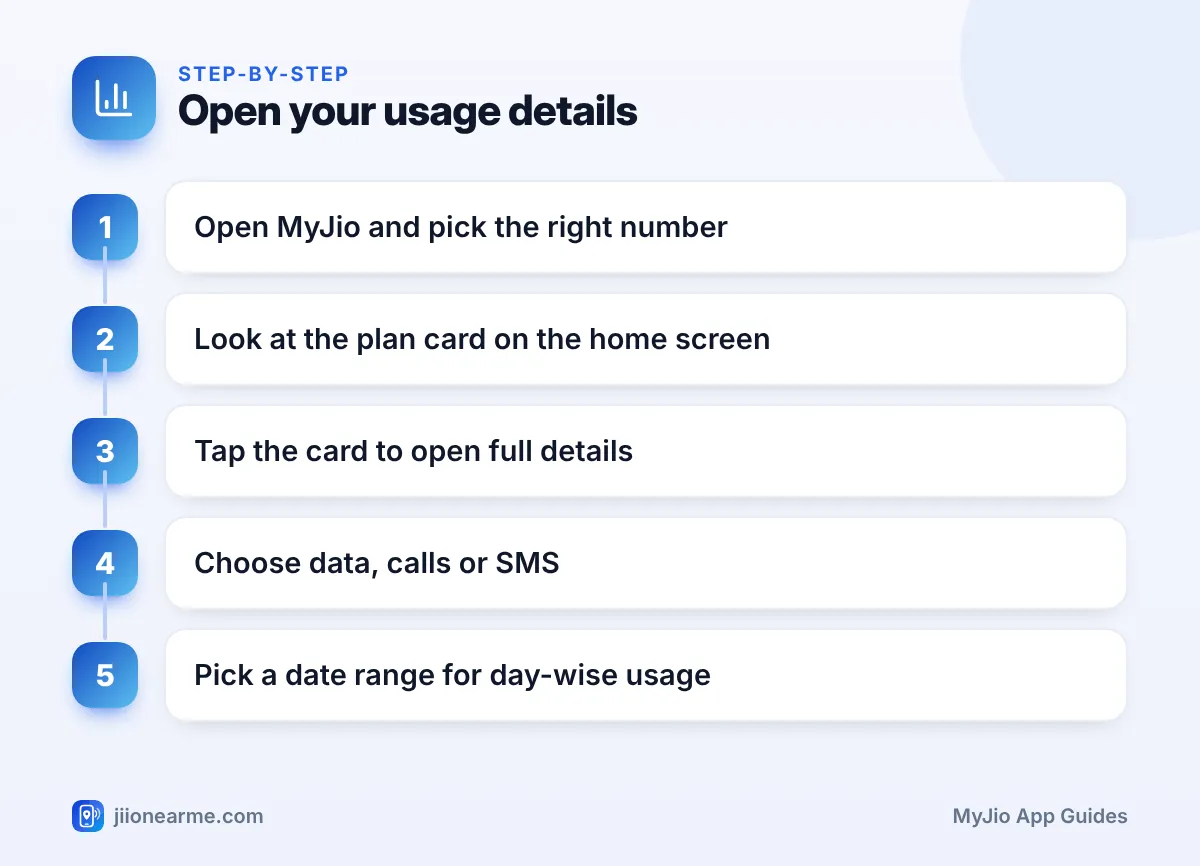
- Open MyJio and check that the right number is selected in the account switcher at the top.
- Look at the plan card or data meter near the top of the home screen.
- Tap the card, or a link such as View details or Usage.
- Choose Data, Calls or SMS if the screen has separate tabs.
- Pick a date or range to see your day-wise usage.
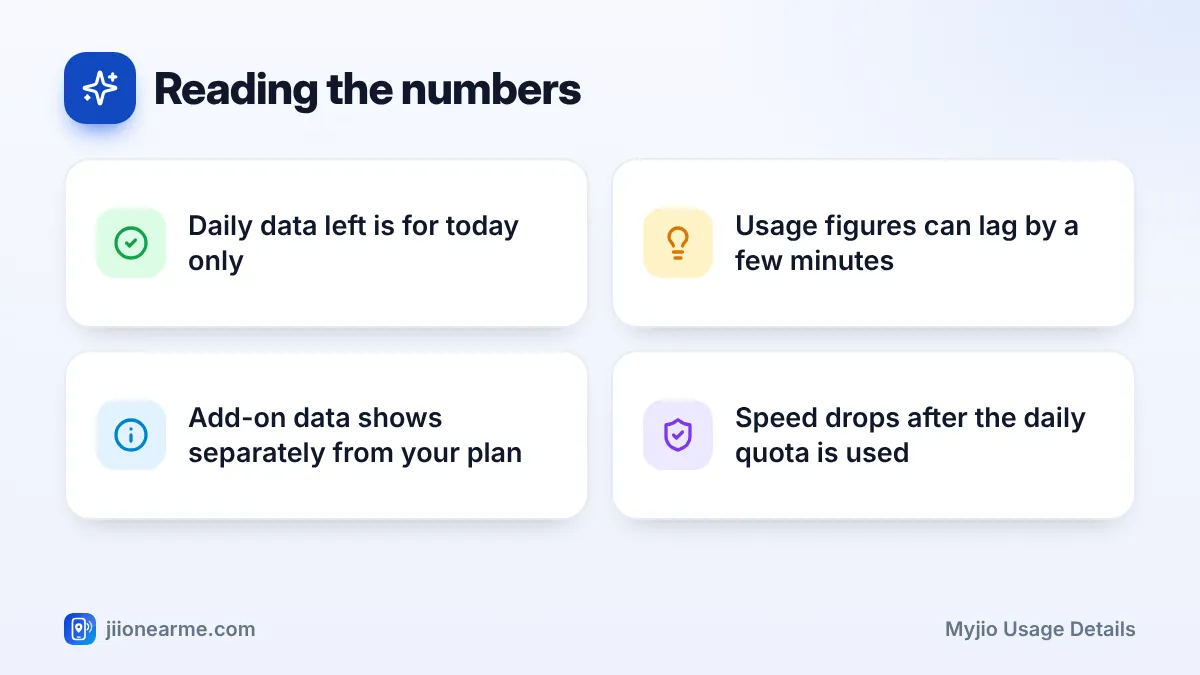
Pull down on the screen to refresh it. Usage figures often lag by a few minutes, so a video you just watched may not show yet.
Reading the Data Meter: Daily Quota, Used and Left
Most Jio prepaid plans give you a fixed amount of high-speed data each day. The data meter is built around that daily quota.
| Label you may see | What it means |
|---|---|
| Data left or Remaining | High-speed data you can still use today |
| Daily limit or Daily data | Your plan’s total high-speed data for each day |
| Used | High-speed data you have used today |
| Valid till or Expires on | The date your current plan ends |
| Add-on or Data pack | Extra data you bought on top of your plan |
| Unlimited 5G | Shown on eligible plans when 5G benefits apply |
The ring or bar fills or empties as you use data. When it reaches the end, your high-speed quota for the day is finished.
If your plan gives a total amount of data for the whole validity instead of a daily amount, the meter shows the balance left for the full period. Check your plan details to see which type you have.
MB or GB?
Small amounts may be shown in MB and larger ones in GB. One GB is roughly a thousand MB, so “850 MB left” means you have a little under one GB remaining.
Validity Dates and What They Mean
The validity line, often shown as Valid till or Expires on, tells you the last day of your current plan. Until that date, your daily quota renews each day.
If you have recharged in advance, the next plan may appear as an upcoming or queued plan. It starts automatically after the current one ends. Your usage screen usually shows only the active plan, so look in the plan details section to see what is queued.
Data add-on packs usually need an active base plan. If your plan expires, check your current plan options in MyJio before buying an add-on, because it may not work on its own.
Calls, SMS, 5G and Add-On Packs
Your usage details cover more than mobile data.
- Calls: Most plans show calls as unlimited. The calls tab still lists your call history by date.
- SMS: Plans often include a daily SMS allowance. The SMS tab shows how many you have sent.
- Add-on data: Extra data you buy is usually used after your daily quota runs out. It may appear as a separate card, and it does not refresh each day.
- 5G use: On plans with Jio True 5G benefits, data used on 5G may be counted separately from your daily quota. Open your plan details to see how your plan treats 5G.
If your add-on balance seems to drop while you still have daily data left, check the order of use shown in your plan details, as plans can differ.
What Happens to Speed After the Daily Limit
Once your daily high-speed quota is used, your internet does not stop. It continues at a much lower speed, as stated in your plan’s terms, until the quota resets. Daily data on Jio usually resets at midnight.
At that lower speed, text messages, UPI payments and basic email usually still work. Video streaming, video calls and large downloads become very slow. Regular voice calls are not affected because they do not use your data quota.
To get full speed back before the reset, you can switch to Wi-Fi or buy a data add-on from MyJio. Check the current add-on options in the app before you buy.
MyJio’s usage screen tells you how much data you have used, not how fast your connection is. If your quota is left but browsing is slow, the cause is more likely signal or network congestion.
Reading MyJio Usage Details by Day
The day-wise view is the most useful part for spotting problems. Look for days with unusually high use, then think about what happened that day. Common causes include:
- A long video call or a few hours of streaming.
- A large game or app update over mobile data.
- Photo and video backup running on mobile data.
- A laptop or tablet connected to your hotspot.
Your phone also has its own data counter in settings, under Network & internet or Connections on Android and Mobile Service on iPhone. It may not match MyJio exactly because the two count differently and reset on different dates. For your actual balance, trust MyJio.
Frequently Asked Questions
Why does MyJio show data left even though my internet is slow?
Your quota may be fine, but signal strength or network congestion can still slow you down. Try moving closer to a window, toggling airplane mode or restarting the phone.
Does unused daily data carry forward to the next day?
No. On daily-quota plans, any high-speed data you do not use today is gone at the reset. Tomorrow starts with the same fixed amount.
Why is my usage figure different from my phone's data counter?
MyJio and your phone measure usage in slightly different ways and over different periods. Small gaps are normal, and MyJio shows the balance Jio actually uses.
Where can I see how much data I used last week?
Open your usage details from the plan card, choose Data, and select the date range you want. The app shows a day-wise breakdown.
Conclusion
The MyJio usage screen is easy to read once you know the main labels. The data meter shows today’s balance, the validity line shows when your plan ends, and add-ons and 5G may appear separately. Check the day-wise view whenever your data runs out early, and you will quickly spot the cause.
JIo Near me is an independent guide and is not affiliated with Reliance Jio. App menus, plans and policies can change – always confirm current details in the official MyJio app or on jio.com. We will never ask for your OTP, PIN or passwords.
