Preferred network type is a phone setting that decides which generations of mobile network your SIM is allowed to use, such as 5G, 4G (LTE), 3G or 2G. For a Jio SIM, the best choice for most people is the top “auto” option that includes 5G, or a 4G/LTE option if your phone does not support 5G.
The menu looks confusing because phone makers list every combination, including 2G and 3G. Jio does not run 2G or 3G networks, so some options make no difference on a Jio SIM and others leave you with no service. This explainer covers each mode and when changing it is worth the effort.
- Preferred network type controls which network generations your phone may connect to.
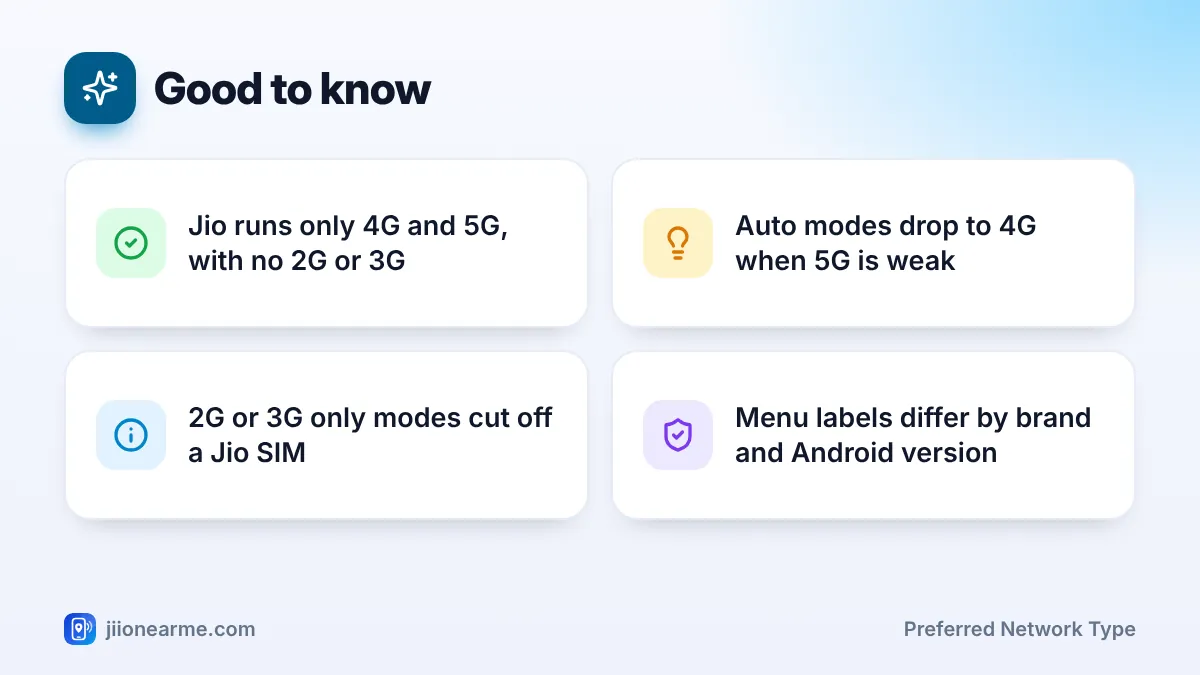
- Jio runs only 4G and 5G, so the 2G and 3G parts of each option do nothing on a Jio SIM.
- Choose the auto mode that includes 5G if your phone and area support Jio True 5G.
- An LTE or 4G mode can help when weak 5G keeps dropping or drains your battery.
- Never pick a 3G only or 2G only mode for a Jio SIM, or you will lose service.
What the Preferred Network Type Setting Does
Your phone can talk to several kinds of mobile network. The preferred network type tells it which ones to look for and which one to try first. The word “auto” in a label means the phone picks the best available network from that list on its own.
For example, 5G/4G/3G/2G (auto) lets the phone use 5G where it finds it and drop to 4G when 5G is weak. In theory, it can fall further to 3G or 2G. The phone always prefers the newest network in the list that has usable signal.
This setting is saved separately for each SIM, so your Jio SIM and a second SIM can use different modes. It does not change your plan. Jio True 5G access still depends on your plan, your area and your phone.
Common Network Modes and What They Mean on Jio
Labels vary by brand. You may see “5G/4G/3G/2G (auto)”, “5G (recommended)”, “4G/3G/2G (auto)”, “LTE/WCDMA/GSM”, “LTE only” or “3G only”. Here is what each type of option means for a Jio SIM.
| Mode shown on phone | What the phone can use | Result on a Jio SIM |
|---|---|---|
| 5G/4G/3G/2G (auto) or 5G preferred | 5G first, then 4G and older networks | Jio 5G where available, otherwise Jio 4G |
| 4G/3G/2G (auto) or LTE preferred | 4G first, then older networks | Jio 4G only, no 5G |
| LTE only or 4G only | 4G only | Jio 4G only, no 5G |
| 3G/2G (auto), 3G only or 2G only | Older networks only | No Jio service |
5G/4G/3G/2G (auto)
This is the mode to use if you have a 5G phone and want Jio True 5G. When you leave 5G coverage or go deep indoors, the phone switches to Jio 4G by itself. The 3G and 2G part of the list is never used on Jio.
4G/3G/2G (auto) and LTE only
On a Jio SIM, these two behave almost the same. Both keep you on Jio 4G and turn off 5G. The difference only matters for SIMs from operators that still run older networks. LTE only blocks that fallback completely, while the auto mode allows it.
3G only and 2G only
These modes tell the phone to ignore 4G and 5G. A Jio SIM then has nothing to connect to, so you will see No service or Emergency calls only. If someone in your family suddenly has no Jio signal after playing with settings, check this first.
Jio does not run 2G or 3G networks. Picking a 2G or 3G only mode cuts off calls, SMS and data on your Jio SIM until you switch back to an option that includes 4G or 5G.
Some phones also offer a 5G only or NR only mode. Avoid it for daily use. You would lose signal wherever 5G is missing, and calls may not connect.
Which Preferred Network Type Should You Choose for Jio?
Use this simple rule of thumb:
- You have a 5G phone in a Jio 5G area: Choose the auto mode that starts with 5G.
- You have a 4G phone: Choose 4G/3G/2G (auto) or LTE only. Both give you Jio 4G.
- Your 5G keeps dropping or the phone gets warm: Try an LTE or 4G mode for a day and see if things improve.
- You want to save battery on a long trip: A 4G mode can help where 5G is patchy, because the phone stops hunting for it.
On many dual SIM phones, only the SIM chosen for mobile data can use 5G. If the 5G option is missing for your Jio SIM, set Jio as the mobile data SIM first and check again.
How to Change Preferred Network Type on Android
Menu names change between brands and Android versions, but the path is similar on most phones.
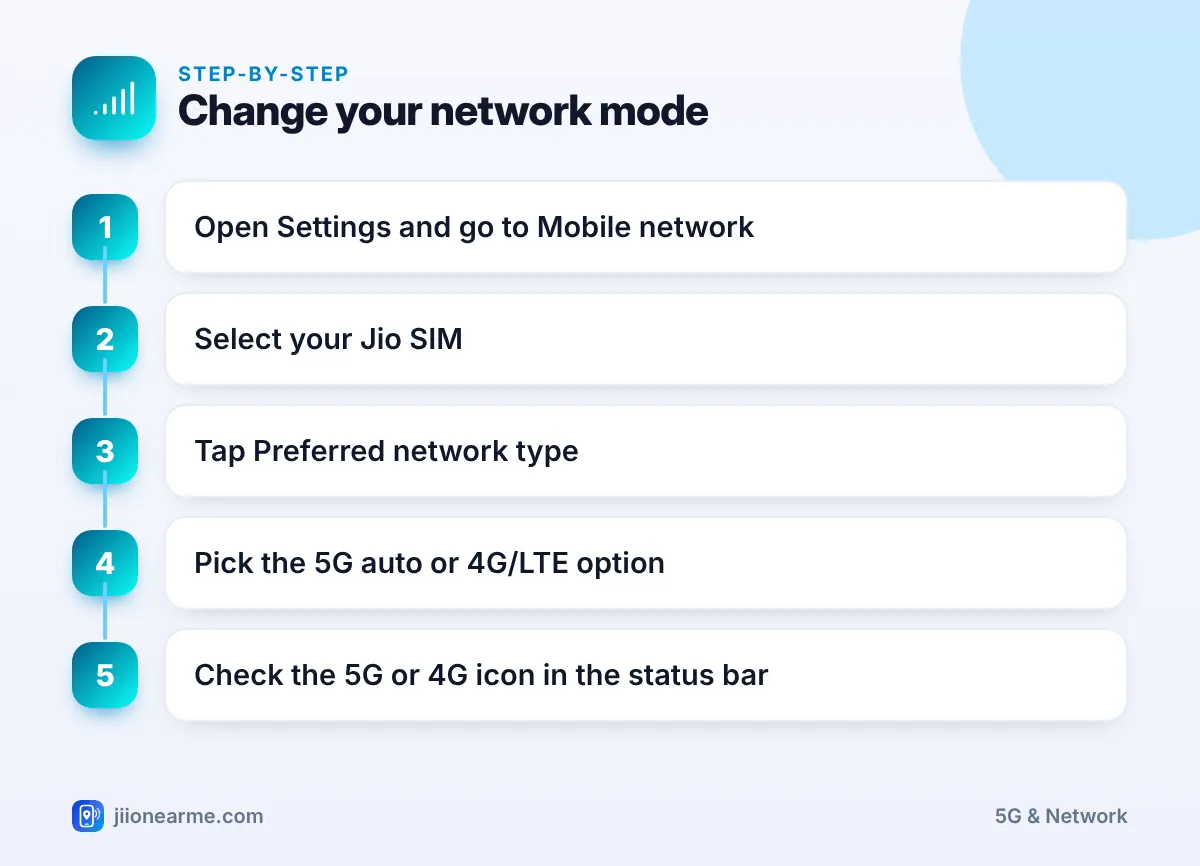
- Open Settings.
- Go to Network & internet, Connections, Mobile network or SIM cards & mobile networks, depending on your phone.
- Tap SIMs or Mobile networks, then select your Jio SIM.
- Tap Preferred network type (sometimes called Network mode).
- Select the auto option that includes 5G, or a 4G/LTE option.
- Go back to the home screen and check the 5G or 4G icon in the status bar.
Where to find it on popular brands
- Samsung (One UI): Settings > Connections > Mobile networks > Network mode.
- Xiaomi, Redmi and POCO: Settings > SIM cards & mobile networks > select the Jio SIM > Preferred network type.
- OnePlus, OPPO and realme: Settings > Mobile network > select the SIM > Preferred network type.
- Google Pixel and Motorola: Settings > Network & internet > SIMs > select the SIM > Preferred network type.
What about iPhone?
iPhones do not show a preferred network type menu with 2G and 3G options. Instead, go to Settings > Mobile Service (or Mobile Data on some versions) > select your Jio line > Mobile Data Options > Voice & Data. There you choose between options such as 5G Auto, 5G On and LTE. 5G Auto is a sensible default for most people.
After changing the mode, turn mobile data off and on, or switch airplane mode on for a few seconds and then off. This makes the phone search for the network again with the new setting.
When Changing the Mode Helps and When It Does Not
Switching modes is useful in a few specific cases:
- You sit at the edge of 5G coverage and the phone keeps jumping between 5G and 4G, causing short drops.
- A video call or online game keeps freezing on weak 5G, while 4G at the same spot is steady.
- You need longer battery life and 5G coverage is patchy where you are.
- Someone set a wrong mode by mistake and the Jio SIM shows no service.
It will not help when the problem lies elsewhere. A network mode cannot fix an expired plan, used-up daily data, a wrong APN, a local outage or very weak signal in a basement.
If you have chosen the right mode, restarted the phone and still face trouble, call Jio customer care on 199 from your Jio number for queries, or 198 to register a complaint.
Frequently Asked Questions
What is the best preferred network type for a Jio SIM?
For a 5G phone, the auto mode that starts with 5G is best. For a 4G phone, choose 4G/3G/2G (auto) or LTE only, since both work the same way on Jio.
Why does my Jio SIM show no service after changing the network mode?
You have probably picked a 3G only or 2G only mode. Jio has no 2G or 3G network, so switch back to a mode that includes 4G or 5G.
Does LTE only mode make Jio internet faster?
Not by itself. It only stops the phone from using 5G. It can feel steadier where 5G is weak, but in good 5G coverage you will usually get better speeds on 5G.
Why can't I see a 5G option in preferred network type?
Your phone may not support 5G, may need a software update, or the Jio SIM may not be the mobile data SIM. Your area also needs Jio True 5G coverage.
Will changing the network mode affect my calls?
Jio calls work in any mode that includes 4G or 5G. Only 2G or 3G only modes stop calls on a Jio SIM.
Wrapping Up
For most Jio users, the right preferred network type is simply the top auto option that includes 5G, or a 4G/LTE option on older phones. Change it only when weak 5G causes drops or battery drain, and never pick a 2G or 3G only mode. If the right mode still gives poor service, the cause is elsewhere, and Jio support can help you check your line.
JIo Near me is an independent guide and is not affiliated with Reliance Jio. App menus, plans and policies can change – always confirm current details in the official MyJio app or on jio.com. We will never ask for your OTP, PIN or passwords.
