At first glance, a Jio usage statement looks like a wall of numbers. Once you know the layout, it becomes easy to read. There is usually a summary at the top, then separate sections for data, calls and SMS, and each line shows a date, a time, a quantity and a charge.
This explainer takes you through each part in plain words. You will learn what the columns mean, why some entries look strange, and how to spot anything that does not belong on your number.
- A statement usually has a summary followed by separate data, call and SMS sections.
- Each entry shows when the activity happened, how much was used and any charge.
- Many small data entries in one day are normal, as each data session is recorded separately.
- Usage covered by your plan usually shows a zero or blank charge.
Jio Statement Explained: The Overall Layout
Most statements follow the same broad order, though the design can change over time and may differ between prepaid and postpaid:
- Account details: Your name, Jio number and the statement period.
- Summary: Totals for data, calls and SMS during that period.
- Data usage section: A list of individual data sessions.
- Voice usage section: A list of calls.
- SMS section: A list of messages.
Jio may update the design of its statements. Column names in your file might be slightly different from the ones described here, but the meaning is usually the same.
Reading the Summary Section
Start with the summary before looking at individual lines. First, check that the number and dates are correct. People sometimes request a statement for the wrong linked number or the wrong period.
Then look at the totals. These give you a quick picture of your usage. If the data total is far higher than expected, the detailed data section will show which days were heaviest.
Understanding Data Session Entries
Each line in the data section usually represents one data session. A session starts when your phone connects to mobile data and ends when it disconnects or when the network closes it.
A typical data entry includes:
- Date and start time: When the session began.
- Duration: How long it lasted, on some statements.
- Volume: How much data was used, in KB, MB or GB.
- Charge: Usually zero or blank if the data was part of your plan.
You may see dozens of small entries in a single day. This is normal. Phones use data in the background for app syncs, notifications and updates, and each connection is logged separately.
Data Units at a Glance
Statements often mix units, which can make totals confusing. Here is a quick reference:
| Unit | Short form | Usually counted as |
|---|---|---|
| Kilobyte | KB | 1,024 bytes, a very small amount |
| Megabyte | MB | 1,024 KB |
| Gigabyte | GB | 1,024 MB |
Many telecom operators count 1 GB as 1,024 MB. So if you add up entries in MB and divide by 1,000, your total may look slightly off. Small differences are usually just a matter of units and rounding.
Understanding Call Entries
The voice section lists the calls made from your number. Each entry usually includes:
- Date and time: When the call started. Many statements use the 24-hour format, so 18:30 means 6:30 PM.
- Number called: The full number you dialled.
- Duration: Shown in seconds or as hours, minutes and seconds.
- Call type: Some statements mark calls as local, national, roaming or international.
- Charge: Usually zero for calls covered by an unlimited plan.
Calls that did not connect normally do not appear. A very short call of a few seconds may be a call that connected to voicemail or was cut quickly.
If an entry seems to show a call in the middle of the night, check whether the statement uses the 24-hour format. A time like 01:15 means 1:15 AM, while 13:15 means 1:15 PM.
Understanding SMS Entries
The SMS section lists messages sent from your number with the date, time and recipient. A long message may be split into more than one part, and each part can count as a separate SMS. This explains why the count sometimes looks higher than the number of messages you remember sending.
Messages sent through internet-based apps, such as chat apps, do not appear here. They use data, so they show up as part of your data sessions instead.
A Simple Way to Check Your Statement
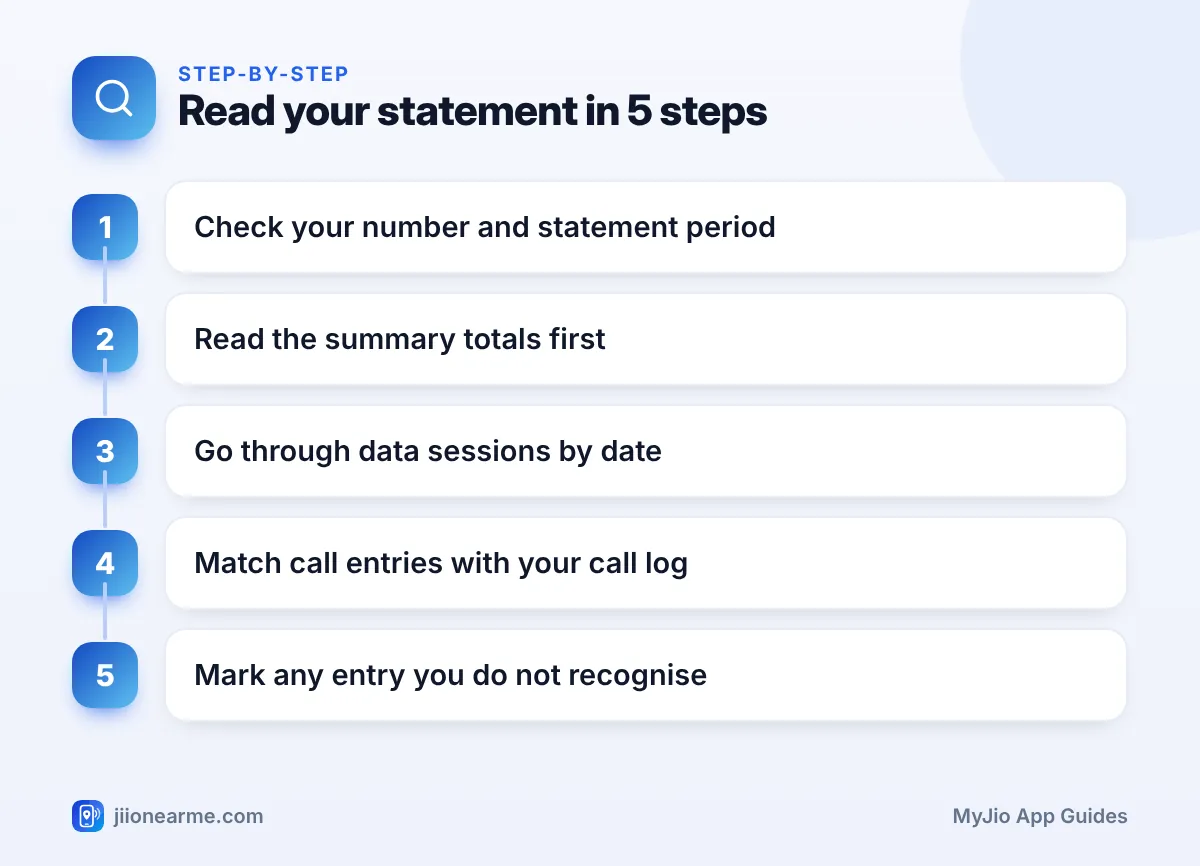
Use this order whenever you review a statement:
- Confirm the number and statement period at the top.
- Read the summary totals to get the big picture.
- Go through data sessions day by day and note the heaviest days.
- Match call entries with the call log on your phone.
- Mark any call, SMS or charge that you do not recognise.
Most PDF viewers have a search option. Use it to find a specific phone number in the statement instead of scrolling through every page.
What to Do If Something Looks Wrong
If you find entries nobody in your home made, take them seriously. Call Jio customer care on 198 from your Jio number to raise a complaint, and keep the statement ready as proof.
If you suspect someone else is using a SIM in your name, check the connections registered to your identity on the Sanchar Saathi portal. You can also report suspected fraud calls and messages there through Chakshu. For financial fraud, call 1930 or visit cybercrime.gov.in.

Frequently Asked Questions
Why are there so many data entries for one day?
Your phone connects to the internet many times a day for app updates, syncs and notifications. Each connection is recorded as a separate session, so dozens of small entries are normal.
Why does my statement total differ from the MyJio data meter?
The two may cover slightly different time periods, and recent usage may not be included yet. Units and rounding can also make small differences.
What does a zero charge mean?
A zero or blank charge usually means the usage was covered by your plan. Charges appear only for things outside your plan’s benefits.
Why is a call I made missing from the statement?
Calls that did not connect are generally not listed. Very recent calls may also take time to appear, so check a later statement if needed.
Are incoming calls listed in the statement?
Statements mainly focus on outgoing activity, such as calls you made and messages you sent. What is included can vary by statement type and connection.
Summary
Reading a Jio statement becomes simple once you know its pattern: account details and summary first, then data, calls and SMS, each with dates, times, quantities and charges. Start with the summary, then work through the details.
Expect many small data entries, keep the 24-hour time format in mind, and compare calls with your phone’s call log. If anything looks unfamiliar, raise it with Jio on 198 without delay.
JIo Near me is an independent guide and is not affiliated with Reliance Jio. App menus, plans and policies can change – always confirm current details in the official MyJio app or on jio.com. We will never ask for your OTP, PIN or passwords.
