You do not need the MyJio app to recharge a Jio prepaid number. The official Jio website lets you recharge from any laptop, desktop or mobile browser: open jio.com, go to the recharge option, enter the number, choose a plan and pay. It works well when you are at a computer, your phone is low on storage, or you are recharging for a family member.
Below, you will find the full flow, the payment options the site usually supports and the safety checks that matter most when paying through a browser.
- Type www.jio.com yourself instead of clicking ads or links in messages.
- You can recharge any Jio prepaid number by entering it on the recharge page.
- Payment options usually include UPI, debit and credit cards, and net banking.
- Keep the order or transaction ID until the Jio SMS confirms your plan.
Why Recharge on the Jio Website
The website suits people who:
- Do not have the MyJio app or do not want to install it.
- Prefer a bigger screen to compare plans side by side.
- Manage recharges for parents or other family members from a laptop.
- Want to pay with net banking or a card they use mainly on a computer.
The plans on the website come directly from Jio, so you see the same current plans as in the app. You also skip the platform or convenience fees that some third-party apps may add, though you should still check the total on the payment page.
How to Do a Jio Recharge Online on the Official Website
Here is the flow on a laptop or phone browser. Button names may change slightly over time, but the order of steps stays similar.
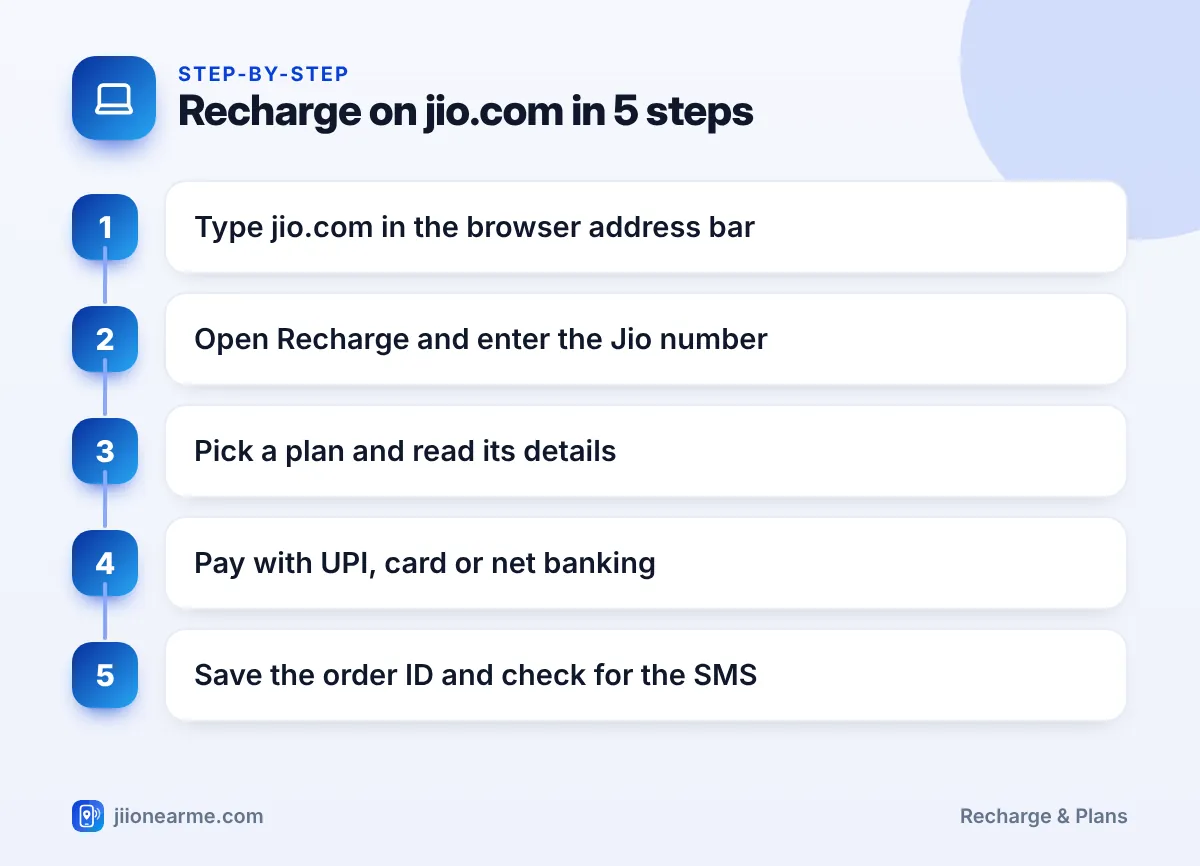
- Open the website. Type www.jio.com in the address bar yourself. Do not rely on search ads, which can sometimes lead to lookalike sites.
- Find the recharge option. On a computer, look for Recharge near the top of the home page. On a phone browser, it may be inside the menu (☰).
- Enter the Jio number. Type the 10-digit prepaid number and tap Continue or a similar button. Depending on the flow, the site may ask you to sign in or verify with an OTP sent to that number. Enter it only on the jio.com page and never share it with anyone.
- Browse the plans. Plans are grouped into sections such as popular plans, data packs and annual plans. JioPhone and JioBharat numbers may show their own sections.
- Read the plan details. Open the details to check validity, daily or total data, calls, SMS and any app benefits.
- Select the plan. Click Buy, Recharge or a similar button to move to payment.
- Review the summary. Check the mobile number, plan name and amount before you continue.
- Pay. Choose a payment method and complete the payment.
- Save the confirmation. Note the order or transaction ID, or take a screenshot of the success page.
Using the site on a phone browser
The mobile version of jio.com follows the same steps in a narrower layout. If a button seems hidden, scroll down or open the menu. When you choose UPI on a phone, the site may open your UPI app directly, so keep it installed and set up.
Payment Options the Website Supports
The payment page shows the methods available at that moment. Options commonly include the following:
| Method | How it works | Tip |
|---|---|---|
| UPI | Enter your UPI ID or scan the QR code shown on screen, then approve with your PIN | Check the payee name in your UPI app before entering the PIN |
| Debit card | Enter card details and verify with your bank’s OTP | Enter the OTP only on the bank’s verification page |
| Credit card | Same as a debit card, billed on your card statement | Use your own card and keep the receipt |
| Net banking | You are sent to your bank’s login page to approve | Log out of net banking after paying |
On a laptop, the QR option is handy. You open your UPI app on your phone, scan the code on the screen and approve the payment.
Safety Checks When Paying in a Browser
Paying online is safe when you follow a few habits:
- Check the address. The address bar should show jio.com with a padlock. Watch for spelling tricks such as extra letters or odd endings.
- Avoid links in messages. Do not open recharge links from unknown SMS, WhatsApp forwards or social media posts.
- Use a trusted network. Prefer your mobile data or home Wi-Fi over open public Wi-Fi for payments.
- Be careful on shared computers. Use a private or incognito window, do not save card details and close the browser when done.
- Keep OTPs private. No genuine Jio or bank staff member will ask you for an OTP over a call.
Fake recharge pages may copy Jio’s colours and logo. If a site offers unusually large benefits or asks for your Aadhaar or UPI PIN to “claim” something, close it. You can report such cyber fraud at the national cybercrime helpline 1930 or on cybercrime.gov.in.
Confirming the Recharge and Fixing Problems
After payment, the site shows a success page. Within a few minutes, the recharged number should also receive an SMS from Jio with the plan details. If you provided an email address, you may get a receipt there too.
To check the plan yourself, sign in on jio.com or in the MyJio app and look at the plan details. If the old plan is still active, the new one is normally queued and starts after the current validity ends.
If the page timed out or showed an error after money was debited:
- Do not pay again immediately.
- Check your bank statement or UPI app for the transaction status.
- If the payment failed, the amount is normally refunded to the source within a few working days.
- If the payment succeeded but no plan appears, contact Jio with your transaction ID.
From a Jio number, call 199 for queries or 198 for complaints. You can also call the toll-free number 1800-889-9999.
After your first visit, bookmark jio.com in your browser. Next time, open the bookmark instead of searching, so you always land on the genuine site.

Frequently Asked Questions
Can I recharge any Jio number on the website?
Yes. You can enter any Jio prepaid number, including a family member’s. Check every digit before paying, because a recharge on the wrong number is hard to reverse.
Do I need to create an account on jio.com?
You may not need a full account just to recharge, but the site can ask you to sign in or verify the number in some flows. Signing in also lets you see your plan details and history.
Why can't I see my UPI app's payment request?
Open your UPI app and check pending requests, and make sure you entered the correct UPI ID. If the request has expired, start the payment again from the website.
Does the website charge an extra fee for recharging?
The payment page shows the final amount before you pay. Check that total on the summary screen before you confirm.
Can I recharge JioFiber or AirFiber on the same website?
Yes, jio.com also handles home broadband services, but they have separate options from mobile prepaid. Make sure you are on the mobile recharge flow when recharging a phone number.
Summary
Recharging on the Jio website is simple: type jio.com yourself, enter the number, read the plan details, pay and save the transaction ID. It is a good option when you are on a laptop or do not want to use the app.
Stay alert to lookalike sites and never share OTPs. If a payment gets stuck, check its status before trying again, and contact Jio support if the plan does not appear.
JIo Near me is an independent guide and is not affiliated with Reliance Jio. App menus, plans and policies can change – always confirm current details in the official MyJio app or on jio.com. We will never ask for your OTP, PIN or passwords.