A JioFi hotspot has no plan of its own. It uses the Jio SIM inside it, so a JioFi recharge simply means recharging that SIM’s mobile number like any other Jio prepaid number. The hard part for most owners is finding that number, because the SIM sits inside the device and never shows up on a phone screen.
This guide covers how to find the number, which plans make sense for a hotspot, how to recharge through official channels and what to do if the internet does not start afterwards.
- Recharging a JioFi means recharging the mobile number of the Jio SIM inside it.
- Find the number from your purchase records, MyJio, the device or Jio support.
- Focus on data and validity, and make sure a base plan is active before adding data packs.
- Restart the JioFi after recharging if the internet does not start on its own.
How a JioFi Recharge Works
Your JioFi is a portable Wi-Fi hotspot. It takes a Jio SIM and shares that SIM’s mobile data with your phone, laptop or tablet over Wi-Fi. JioFi devices are designed to work with Jio SIMs.
The plan belongs to the SIM’s number, not to the device. When the plan expires, the JioFi may still switch on and show its Wi-Fi network, but connected devices will not get internet. Recharging the SIM’s number brings the data back.
Since the hotspot only uses data, calls and SMS benefits matter less. What matters is how much data you get and how long the plan lasts.
How to Find the Number of the SIM in Your JioFi
Try these methods in order. You only need one of them to work.
| Method | What you need | Good to know |
|---|---|---|
| Purchase records | The bill, receipt or forms from when you got the SIM | Often the quickest way if you kept them |
| MyJio app | Your phone with MyJio installed | Some versions offer a JioFi sign-in or linking option |
| JioFi admin page | A phone or laptop connected to the JioFi Wi-Fi | Some models show SIM details or an SMS inbox |
| SIM in a phone | A phone that accepts the SIM | MyJio may detect the number on that SIM’s mobile data |
| Jio support | The device IMEI and your ID details | Support can verify you as the registered owner |
Using the JioFi admin page
Connect your phone or laptop to the JioFi’s Wi-Fi network. Open a browser and type the admin address given in your device’s manual or on its label. On many models this is jiofi.local.html. Sign in with the admin details from the manual, then look through the device or network information sections. Some models show the mobile number or let you read SMS received on the SIM, which may include Jio’s messages with the number.
Using the IMEI and Jio support
The JioFi’s IMEI is usually printed on a label under the battery and on the original box. Keep it ready, along with your ID details, and contact Jio support. Call 199 for queries from any Jio number, or use the toll-free number 1800-889-9999. Jio’s help pages on jio.com also explain how to find a forgotten JioFi number.
Jio support will verify that you are the registered owner before sharing account details. If the SIM was bought in someone else’s name, that person should contact support.
How to Do a JioFi Recharge Through Official Channels
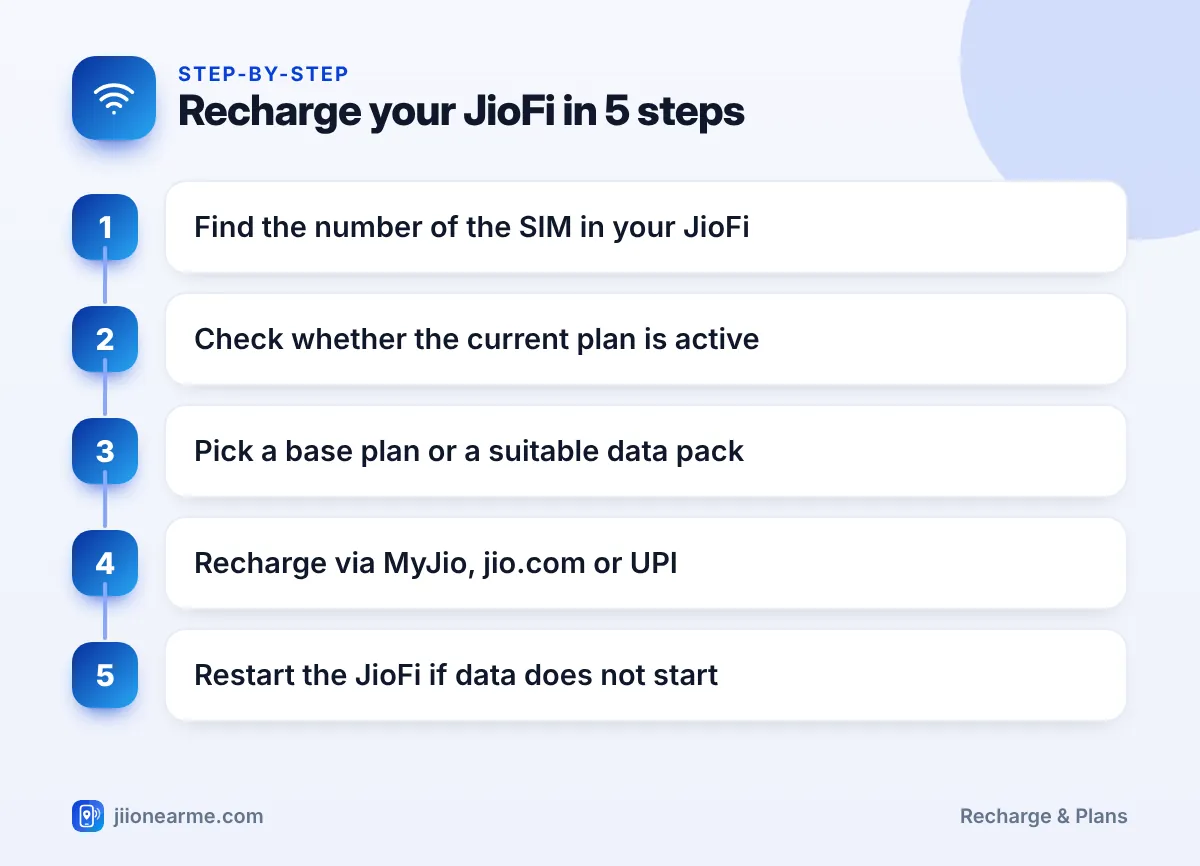
Once you know the number, recharging is the same as for any Jio prepaid number:
- Open a recharge channel. Use the MyJio app, the Jio website or a trusted UPI app.
- Enter the JioFi number. In MyJio, use the option to recharge a different number if you are signed in with your phone number.
- Check the current plan. If the JioFi number is linked in MyJio, see whether a plan is still active and when it expires.
- Choose a plan. Pick a base plan if the old one has expired, or a data pack if you only need extra data.
- Read the plan details. Check data, validity and whether the pack depends on an existing plan.
- Pay and save the transaction ID. Note the reference number from the success screen.
- Restart the JioFi. Switch it off and on if the internet does not start within a few minutes.
Choosing a Suitable Plan for Your JioFi
Think about how the hotspot is used before picking a plan:
- Several devices share one JioFi. Video calls, streaming and updates on many devices use data quickly. Plans with more data may suit you.
- Occasional travel use. If you use the JioFi only on trips, look at the validity, not just the data.
- Daily data vs total data. Daily data resets each day, while bulk data lasts for the whole validity. Choose based on whether your use is steady or comes in bursts.
- Data packs. Some packs are add-ons that need an active base plan, while some data plans carry their own validity. The plan details say which type it is.
Current plans and their benefits are listed in the MyJio app and on jio.com. Always check them there before paying.
If the SIM’s base plan has expired, an add-on data pack alone may not restore internet. Recharge with a suitable base plan first, then add data packs when you need more.
After Recharging: Get the Hotspot Online
Most recharges activate within a few minutes. If your devices still cannot browse:
- Restart the JioFi. Switch it off, wait a few seconds and switch it on again.
- Check the signal light. Move closer to a window if the signal indicator shows a weak connection.
- Reconnect your devices. Forget the Wi-Fi network on your phone and connect again with the password.
- Check the plan in MyJio. If the new plan is queued behind an active one, the old plan’s data limit may still apply.
- Contact Jio support. If the plan is active but there is still no internet, share the transaction ID with support.
Link the JioFi number to your MyJio app if the option is available. You can then check its data balance and expiry date from your phone without opening the admin page.

Frequently Asked Questions
Can I recharge a JioFi with a normal prepaid plan?
Yes. The SIM in a JioFi is a Jio prepaid SIM, so you can recharge it with plans shown for that number. Choose one based on the data and validity you need.
How do I check my JioFi data balance?
Link the JioFi number in MyJio, or check the device’s admin page if your model shows usage. The MyJio app gives the clearest view of plan and expiry.
Can I use a SIM from another network in my JioFi?
JioFi devices are designed to work with Jio SIMs. For another network, you would need a different hotspot device.
Why is my JioFi not working after a recharge?
The plan may take a few minutes to activate, or the device may need a restart. If the plan shows as active and the problem continues, contact Jio support.
What if I cannot find my JioFi number at all?
Note the IMEI from the label under the battery or on the box and contact Jio support with your ID details. They can help once they verify that you are the registered owner.
Wrapping Up
A JioFi recharge is really a recharge of the Jio SIM inside the hotspot. Once you know that SIM’s number, write it down and link it in MyJio so you never have to search for it again.
Choose a plan based on data and validity, keep a base plan active and restart the device if the internet does not start. Those few steps keep your hotspot ready whenever you need it.
JIo Near me is an independent guide and is not affiliated with Reliance Jio. App menus, plans and policies can change – always confirm current details in the official MyJio app or on jio.com. We will never ask for your OTP, PIN or passwords.