Removing a linked number from MyJio takes less than a minute, and it does not affect that number’s plan, balance or service. Open your profile or menu, go to Manage accounts, pick the number and choose the remove or delink option. The number simply disappears from your app.
People usually do this when a child gets their own phone, a relative moves to a new number, or an office SIM is handed back. This guide shows where the option sits, what changes after removal, and what to do if the option is missing or the number is linked on someone else’s phone.
- The remove option sits inside Manage accounts or Linked accounts, reached from your name, profile icon or the menu (☰).
- Removing a number only takes it out of your MyJio app. Its plan, data and validity stay untouched.
- The owner can keep using their own MyJio as normal.
- The number you signed in with is your main account. You leave it by signing out, not by delinking.
Why You Might Remove a Linked Number
Linked numbers are useful while you are responsible for them. Once that changes, they only add clutter. Common reasons to remove one:
- A family member now handles their own recharges.
- You no longer use a second SIM, or it has been disconnected.
- A number was linked by mistake or appears twice.
- You are about to give your phone to someone and want less personal data on it.
- You want a shorter account list so you do not recharge the wrong number.
There is also a privacy side. A linked number’s plan and usage history are visible to anyone who opens MyJio on your phone. Removing numbers you no longer look after is good housekeeping.
Where to Find the Manage Accounts Option
MyJio’s layout changes from time to time, so the option may not sit in exactly the same place on every phone. Try these spots in order:
- Your name or number at the top of the home screen. Tapping it opens the account switcher, which often has a Manage link.
- The profile icon, usually in a top corner. Look for Manage accounts or Linked accounts.
- The menu (☰), where account options may sit under Settings or My account.
If you still cannot see it, update MyJio from the Play Store or App Store and look again. Labels can differ slightly by app version.
How to Remove a Linked Account in MyJio
Once you reach the manage accounts screen, the steps are short.
- Open MyJio and make sure you are signed in with your own number.
- Tap your name, number or profile icon at the top of the home screen.
- Open Manage accounts or Linked accounts.
- Find the number you want to remove. Check the last four digits carefully.
- Tap the delete icon, the three-dot menu (⋮) beside it, or a button such as Remove or Delink.
- Confirm when the app asks. Some versions show a short message about what happens next.
- Go back to the account switcher and make sure the number has gone.

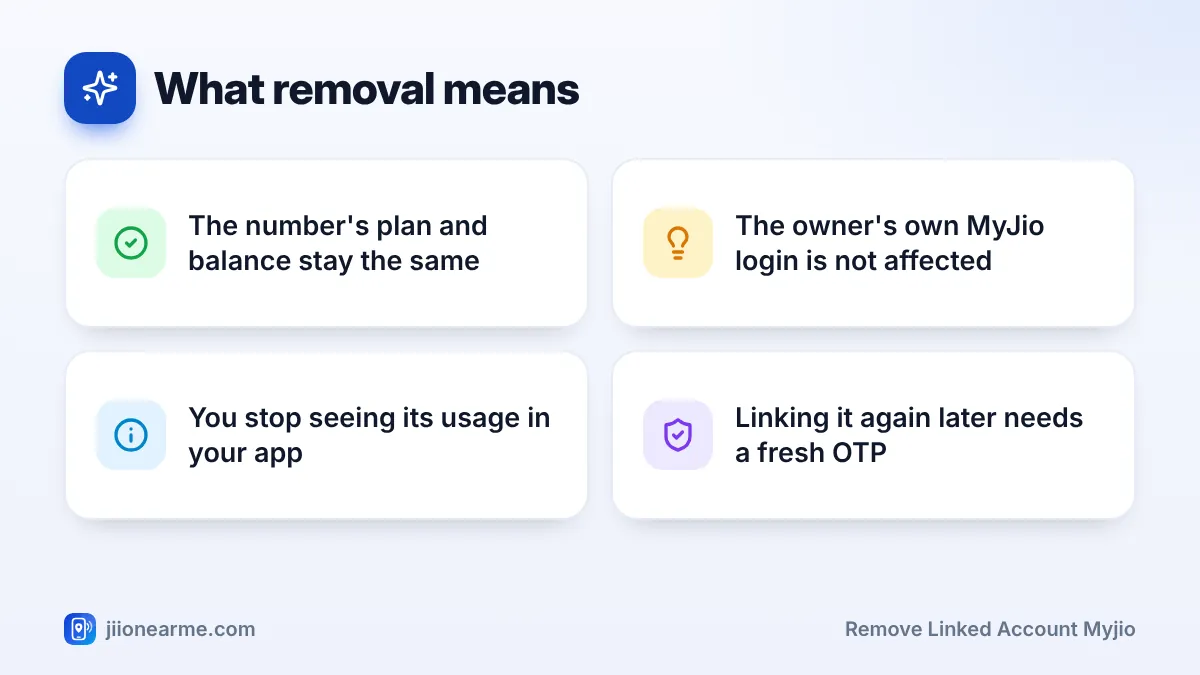
Removing a number is normally instant and does not need the other person’s OTP, because you are only reducing your own access. Adding it back later will need a fresh OTP sent to that number.
What Changes After You Remove a Number
Removal affects only your app. Nothing changes on the Jio connection itself.
| What | After you remove the linked number |
|---|---|
| The number’s plan, data and validity | Stay exactly the same |
| Recharges you already made for it | Remain valid as normal |
| The owner’s own MyJio app | Works as before, with no sign-out |
| Its plan and usage details in your app | No longer visible to you |
| Recharge reminders for that number | Stop appearing in your app |
| Recharging it in future | Still possible by typing the number in the recharge section |
Keep Records Before You Remove It
If you need invoices for recharges you paid, download them before removing the number. Once it is gone from your list, you cannot open its recharge history from your app. Your bank, UPI or card statement will still show the payments you made.
Still paying for someone’s recharge but do not need to see their usage? Remove the link, and when it is time to recharge, type their number into the MyJio recharge screen. The app usually lets you recharge any Jio number this way.
Removing Your Main Number or Fixing a Missing Option
The number you signed in with
The number you used to sign in is your primary account. It usually has no remove option, because it is the login itself. To stop using it in MyJio on a phone, sign out from the app’s settings. You can then sign in with a different Jio number if needed.
The remove button does not show
Try these checks:
- Make sure you are looking at a linked number, not your main one.
- Update MyJio to the latest version and reopen it.
- Switch to a different number first, then try again. Some versions do not let you remove the account that is currently selected.
- Restart the phone and check your internet connection.
If it still does not work, call Jio customer care on 199 from your Jio number, or the toll-free number 1800-889-9999.
If Someone Else Has Linked Your Number
You cannot delete your number from someone else’s MyJio app yourself. Linking needs an OTP sent to your number, so it should only have happened with your knowledge. If a family member linked it, ask them to remove it using the steps above.
If you think your number was linked without your consent, for example after someone tricked you into sharing an OTP, call Jio customer care on 198 from your Jio number to raise a complaint. If money was lost or you suspect fraud, call the national cybercrime helpline 1930 or report it at cybercrime.gov.in.
Fraudsters sometimes pose as support staff and offer to “remove” or “secure” a linked account if you read out an OTP. Jio staff never need your OTP for this. Do not share it with anyone.
Frequently Asked Questions
Will the other person be told that I removed their number?
They may not get any message, since removal does not need their OTP. If you used to recharge for them, it is kind to let them know so they do not miss a renewal.
Does removing a linked number cancel its plan?
No. The plan, data, validity and services stay the same. Only your access from your own app ends.
Can I add the number back later?
Yes. Use Link account again and enter the OTP sent to that number, with the owner’s agreement.
Will removing a linked number delete my own details?
No. Your own number, plan and history stay as they are. Only the removed number’s details disappear from your app.
Can I remove a linked JioFiber or AirFiber account the same way?
Usually yes. Linked home broadband connections appear in the same manage accounts list and can be removed with the same steps.
Wrapping Up
Delinking a number in MyJio is quick and safe. Go to Manage accounts, choose the number, remove it and confirm. The connection itself keeps running exactly as before.
Before you remove it, download any invoices you need. If you ever want to manage that number again, you can link it back with the owner’s OTP.
JIo Near me is an independent guide and is not affiliated with Reliance Jio. App menus, plans and policies can change – always confirm current details in the official MyJio app or on jio.com. We will never ask for your OTP, PIN or passwords.
