The most reliable way to never miss a Jio recharge is to use two layers of reminders: Jio’s own expiry alerts and a repeating reminder that you set on your phone. One may get ignored or buried, but two together rarely fail.
There is one catch. Most Jio prepaid plans run for 28 days, not a calendar month. So a simple “monthly” reminder slowly drifts away from your real expiry date. This guide shows you how to set a Jio recharge reminder that stays in sync, plus a few habits that keep your number active without stress.
- Start by noting your exact expiry date and time from the MyJio app.
- Keep Jio’s SMS and app alerts switched on, but do not rely on them alone.
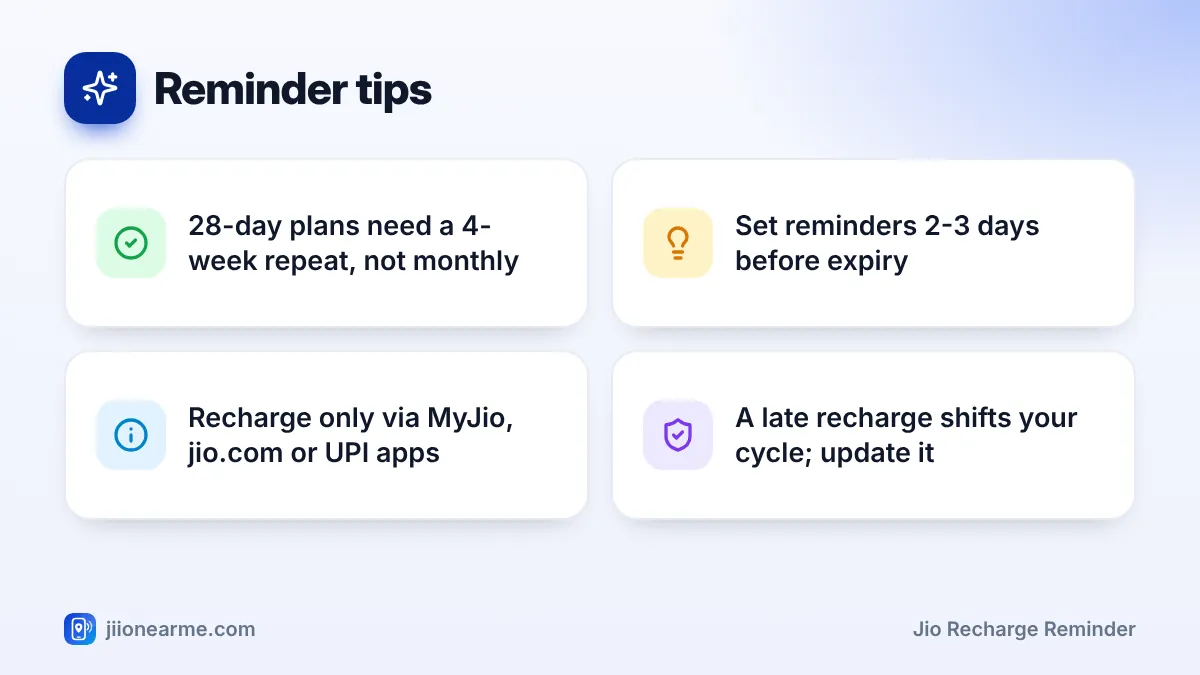
- For a 28-day plan, set your calendar reminder to repeat every 4 weeks, not every month.
- Schedule the reminder 2-3 days before expiry so you have time to act.
- Update the reminder whenever you change plans or recharge after expiry.
Why Jio Plans Are Easy to Miss
If you have ever been surprised by a “plan expired” message, you are not alone. A few things make Jio expiry dates hard to remember:
- 28-day cycles: Your due date moves a little earlier every month, so it never feels fixed.
- Long plans: With an 84-day or longer plan, months pass between recharges and the date slips from memory.
- Secondary SIMs: A number you rarely use is easy to forget until an OTP fails to arrive.
- Exact expiry times: A plan may end at a specific time of day, not always at midnight.
Once you know these traps, setting a good reminder becomes simple.
Find Your Exact Expiry Date in MyJio
Every reminder starts with the correct date. Open the MyJio app and sign in with your Jio number. Your active plan card on the home screen usually shows the validity or expiry date. Tap the card for full plan details, including any upcoming plans already queued.
Write down both the date and, if shown, the time. You can also check your plan by signing in on jio.com, or look for the confirmation SMS Jio sent when you last recharged.
Turn On Jio’s Own Expiry Alerts
Jio usually sends SMS alerts as your plan’s end date gets close, and the MyJio app can show notifications too. These alerts only help if they actually reach you.
- Check SMS filters: Many phones sort messages into folders such as “Promotions” or “Spam”. Look there if you never see Jio alerts.
- Allow app notifications: Go to your phone’s Settings, open Apps, find MyJio and make sure notifications are allowed.
- Watch battery savers: Strict battery optimisation can silence app notifications. If alerts never appear, exclude MyJio from battery restrictions.
Scammers send fake “your plan is expiring” messages with links. Do not tap links from unknown numbers. Recharge only through the MyJio app, jio.com, a trusted UPI app or a known retailer, and never share an OTP with anyone.
How to Set a Jio Recharge Reminder in Your Phone Calendar
A calendar reminder is the most dependable option because it repeats on its own and works even without internet.
Using Google Calendar
- Open Google Calendar and tap the + button, then choose Event.
- Give it a clear title, such as “Recharge Jio number” or “Recharge Mummy’s Jio”.
- Set the date to two days before your plan’s expiry date.
- Tap the repeat option (it usually says Does not repeat) and choose Custom.
- Set it to repeat every 4 weeks for a 28-day plan.
- Add a notification, for example at 9 AM on the day, and save.

Using an iPhone
Open the Reminders app, create a new reminder and add a date and time. Tap Repeat, choose Custom, and set it to every 4 weeks. You can do the same with an event in the Calendar app. Menu labels may vary slightly with your iOS version.
Matching the repeat to your plan
Use this table to pick the right repeat setting for your plan’s validity:
| Plan validity | Repeat setting to use |
|---|---|
| 28 days | Every 4 weeks |
| 56 days | Every 8 weeks |
| 84 days | Every 12 weeks |
| Calendar month | Monthly, on the same date |
| Other day counts | Custom, every X days |
Check the exact validity in your plan details before choosing a repeat. Some long-validity plans are a little shorter than a full year, so a “yearly” reminder may come too late.
Other Simple Reminder Options
A calendar works for most people, but a few other methods can help, especially as a backup.
- Voice assistants: Google Assistant and Siri can set repeating reminders. Say something like “Remind me to recharge Jio every 4 weeks” and then confirm the start date in the reminder details.
- Shared family calendar: If you recharge for parents or grandparents, add their expiry dates to a shared calendar so more than one person gets the alert.
- Advance recharge: Recharge a few days early. On Jio prepaid, a new plan bought during an active plan is usually queued and starts when the current one ends, so you lose no validity.
- Autopay, where offered: Check whether the MyJio app shows an autopay or recurring recharge option for your number. If it does, read the terms carefully, including which plan renews and when money is debited.
Phone alarms are less useful here. Most alarm apps repeat only on chosen days of the week, not every 28 days, so they suit one-off reminders only.
Common Mistakes That Make Reminders Fail
Even a good reminder can fail if it is set up the wrong way. Watch out for these:
- Using a monthly repeat for a 28-day plan. Within a few months, your reminder arrives after the plan has already expired.
- Setting the reminder on the expiry day. If you are busy or offline that day, you have no buffer.
- Forgetting to update after a change. If you switch to a longer plan, change the repeat to match.
- Not adjusting after a late recharge. When you recharge after expiry, the new plan starts from the recharge date, so your whole cycle shifts.
Treat the reminder as part of every recharge. Each time you pay, take a few seconds to confirm the next due date in MyJio and adjust your calendar if needed.
Frequently Asked Questions
Does Jio send a reminder before my plan expires?
Jio usually sends SMS alerts before your plan ends, and the MyJio app may show notifications. Check your SMS filters and app notification settings so these alerts are not hidden.
Why does my monthly reminder not match my Jio expiry date?
Most Jio plans last 28 days, which is shorter than a calendar month. Set your reminder to repeat every 4 weeks instead, and it will stay in line with your plan.
Can I set reminders for my parents' Jio number?
Yes. Add their expiry date to your own calendar or a shared family calendar. You can then recharge their number from your phone through MyJio, jio.com or a UPI app.
What should I do if I miss the reminder and my plan expires?
Recharge as soon as possible through MyJio, jio.com, a UPI app or a retailer. Then reset your reminder, because the new plan’s validity starts from the day you recharge.
Is it safe to recharge from a link in a reminder SMS?
It is safer not to. Open the MyJio app or type jio.com yourself instead of tapping links, as fake recharge messages are common.
Final Thoughts
A Jio recharge reminder works best when it matches your plan’s real cycle. Check your expiry date in MyJio, keep Jio’s alerts visible, and set a calendar reminder that repeats every 4 weeks for a 28-day plan. Give yourself a two-day buffer and update the reminder each time you recharge. With that small routine, your number stays active and your OTPs keep arriving.
JIo Near me is an independent guide and is not affiliated with Reliance Jio. App menus, plans and policies can change – always confirm current details in the official MyJio app or on jio.com. We will never ask for your OTP, PIN or passwords.