
Setting a JioTune from the MyJio app takes about two minutes: open the JioTunes section, search for a song, play the short preview and tap the button to set it. Once it is active, people who call your Jio number hear that song instead of the usual ringing sound while they wait for you to answer.
This guide walks you through each step, helps you choose the right clip, and shows how to confirm the tune is really working. It also covers the common reasons a tune does not play.
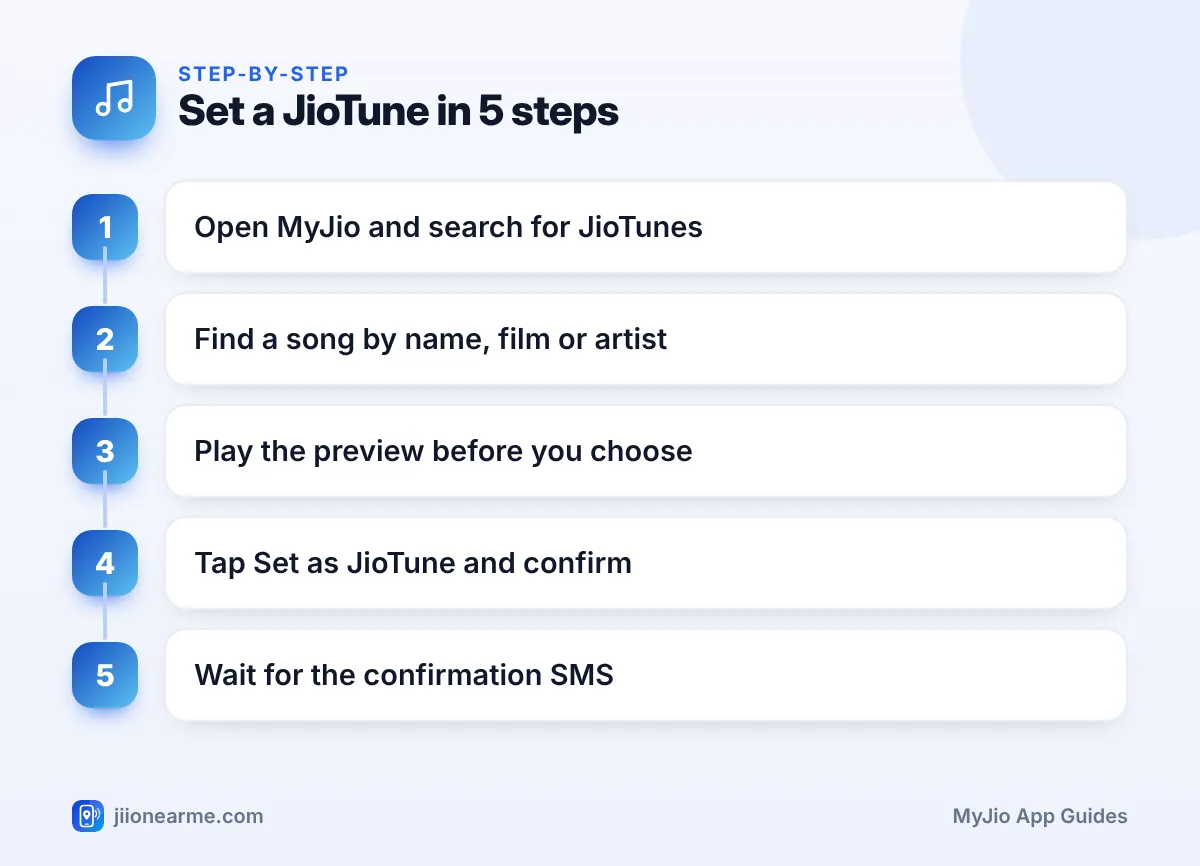
- Open MyJio, find the JioTunes section, search for a song, preview it and set it.
- Your callers hear the JioTune. You do not hear it on your own phone.
- A confirmation SMS from Jio usually arrives within a few minutes.
- Ask a friend to call you to check that the tune is playing.
What a JioTune Does
A JioTune is Jio’s caller tune service. It replaces the standard ringing sound that callers hear with a song, a devotional track, an instrumental piece or another clip you choose.
The tune is played by the network, not by your phone. That means callers hear it even if your phone is on silent, and it stays with your number if you move your SIM to a new handset. Your own ringtone does not change.
Jio has generally offered JioTunes to its mobile users without a separate subscription, but terms can change. Read what MyJio shows on the confirmation screen before you set a tune.
Before You Start
Keep these things ready:
- An active Jio number with a valid plan. Prepaid and postpaid both work.
- The MyJio app, updated to the latest version from the Play Store or App Store.
- The right number selected. If you manage several numbers in MyJio, switch to the one that should get the tune.
- Internet access to search for songs and play previews.
How to Set JioTune in MyJio, Step by Step
The exact labels can differ slightly between app versions, but the flow is usually the same.
- Open the MyJio app and check that the correct number is shown at the top.
- Tap the search bar and type JioTunes. You can also open the menu (☰) or the services section and look for JioTunes.
- Browse the trending list, or search by song name, film, artist or album.
- Tap a song to play its preview. Listen to the whole clip, because this is the part your callers will hear.
- Tap Set as JioTune, Set or a similar button.
- Read the confirmation pop-up and tap Confirm or Yes.
- Wait for the SMS from Jio saying your JioTune has been activated.
Picking the Right Clip
Many songs have more than one clip listed, such as the opening lines, the chorus or a different version. Play each preview before you decide. A slow, quiet intro can sound like silence on a noisy line, while the chorus is usually easier to recognise.
Think about who calls you most. A loud party song may be fun for friends but awkward when your bank, office or child’s school calls. Soft instrumentals and devotional tracks are a safe middle ground.
Another Way to Choose a Tune
If you use JioSaavn, look for a Set as JioTune option in a song’s menu (the three dots). It takes you through a similar confirmation step. Availability depends on the song and the app version, so treat MyJio as the main place to manage your tune.
How to Confirm Your JioTune Is Active
Do not assume the tune is live just because you tapped the button. Check it in three ways:
- Look for the SMS. Jio usually sends a message with the song name once activation is complete. This can take a few minutes.
- Check MyJio. Go back to the JioTunes section and look for My JioTunes, Active tune or a similar heading. The current tune should be listed there.
- Do a test call. Ask a family member or friend to call you and let it ring for a few seconds. They should hear the song.
If you test it yourself with a second phone, let the call ring long enough for the clip to start.
The caller tune is played by Jio’s network to whoever calls your Jio number. So people calling from other mobile networks or landlines in India usually hear it too. Calls made through internet apps such as WhatsApp do not play caller tunes.
When the Tune Does Not Play
If your test caller still hears normal ringing, work through this table.
| What you notice | Likely reason | What to try |
|---|---|---|
| No SMS after setting | Activation still in progress | Wait a while, then check MyJio again |
| Old tune still plays | New tune not yet applied | Give it some time and test again |
| Normal ringing only | Request did not go through | Set the tune again from MyJio |
| Tune set on wrong number | Different number was selected | Switch numbers and set it again |
| Caller hears a “switched off” message | Phone off or no signal | Tunes play only while your phone rings |
A few more points:
- If your plan has expired, some services may pause. Recharge first, then check your tune.
- Reinstalling MyJio does not remove the tune, since it lives on the network. You only need to sign in again.
- If nothing works after a few hours, call Jio on 199 from your Jio number for queries, or 198 to register a complaint.
Changing or Replacing Your JioTune
You can change your tune whenever you like. In most cases, setting a new song simply replaces the old one, and the new tune starts after the usual activation time. You do not need to deactivate the old tune first.
If you want callers to hear plain ringing again, look for a Deactivate, Stop or Remove option next to your active tune in the JioTunes section.

Jio staff will never ask for your OTP to set or change a caller tune. If a call or message asks for an OTP, a payment or a link click to “activate a free caller tune”, do not respond. You can report such fraud attempts on the Sanchar Saathi portal.
Frequently Asked Questions
Can I hear my own JioTune?
No. The tune plays only for people who call you. To hear it, play the preview again in MyJio or ask someone to call your number.
How long does a JioTune take to activate?
It usually takes a few minutes. Jio normally sends an SMS once the tune is active.
Can I set a JioTune on a JioPhone?
If MyJio is available on your JioPhone, the steps are similar. The screens simply look more basic on a keypad phone.
Will my JioTune stay if I change phones?
Yes. The tune is linked to your Jio number on the network, not to your handset. Moving your SIM to a new phone does not affect it.
Can I set a different tune for different callers?
In general, one active JioTune plays for everyone who calls you. Check the JioTunes section in MyJio to see the options available on your number.
Final Thoughts
To set a JioTune in MyJio, open the JioTunes section, preview a few songs, pick the clip you like and confirm. Then watch for the SMS and do a quick test call with a friend. If the tune still does not play after a while, set it again or contact Jio on 199.
JIo Near me is an independent guide and is not affiliated with Reliance Jio. App menus, plans and policies can change – always confirm current details in the official MyJio app or on jio.com. We will never ask for your OTP, PIN or passwords.
