Yes, you can move your Jio number from prepaid to postpaid without changing it. The official routes are the MyJio app, the Jio website and a Jio Store, and the switch moves your existing number to a JioPlus postpaid plan.
The process is usually simple, but a little preparation helps. This guide explains what to keep ready, the steps in the app, other official options and what changes once you are on postpaid.
- Your number stays the same when you switch from Jio prepaid to postpaid.
- You can request the switch in MyJio, on jio.com or at a Jio Store.
- Keep your ID ready, and expect a possible security deposit depending on the plan.
- Unused prepaid benefits may not carry over, so time the switch well.
- After the switch, you pay a monthly bill instead of recharging.
Can You Keep Your Number When Switching?
Yes. Moving from Jio prepaid to postpaid is a conversion of your existing connection, not a new number. Your contacts can keep calling you on the same number, and services linked to it, such as banking and UPI, continue to use it.
In many cases you can keep using the same SIM card. If a new SIM is needed for any reason, Jio will tell you during the process. Your number stays the same either way.
What to Keep Ready Before You Switch
Preparing these in advance makes the switch quicker:
- Your Jio number and phone: You need access to the number to sign in to MyJio and receive messages.
- A valid ID: Verification may be needed, especially if your KYC details have to be updated. Keep your Aadhaar or another accepted ID ready.
- A payment method: Some plans may need a refundable security deposit or upfront charge, depending on eligibility. UPI, cards or net banking usually work.
- Your usage history: Check your data and call usage in MyJio, so you pick a plan that fits.
- Your current recharge status: Note when your prepaid plan expires.
Unused prepaid benefits may not move over to postpaid. If you can, switch close to the end of your current recharge so you do not lose much data or validity.
Choosing the Right JioPlus Plan for Your Switch
Picking the plan is the most important decision in the whole process. A plan that is too small leads to extra charges, while one that is too large means paying for benefits you never use.
Keep these points in mind while comparing:
- Match your real data use. Look at how much data you used in each of the last few months, not just your best or worst month.
- Think about family members. If you also pay for a spouse, parent or child, a JioPlus family plan may let you bring everyone onto one bill.
- Check app and 5G benefits. Some plans include access to selected apps, and Jio True 5G depends on your plan, phone and area.
- Read the terms on extra usage. Know what happens if you cross the plan’s data allowance.
- Plan for travel. If you go abroad often, check the international roaming options available on postpaid.
You can usually change your plan later if your usage changes, so you do not need to get it perfect on the first try.
How to Switch Jio Prepaid to Postpaid in the MyJio App
The MyJio app is usually the quickest route. App menus change over time, so the labels on your screen may differ a little.
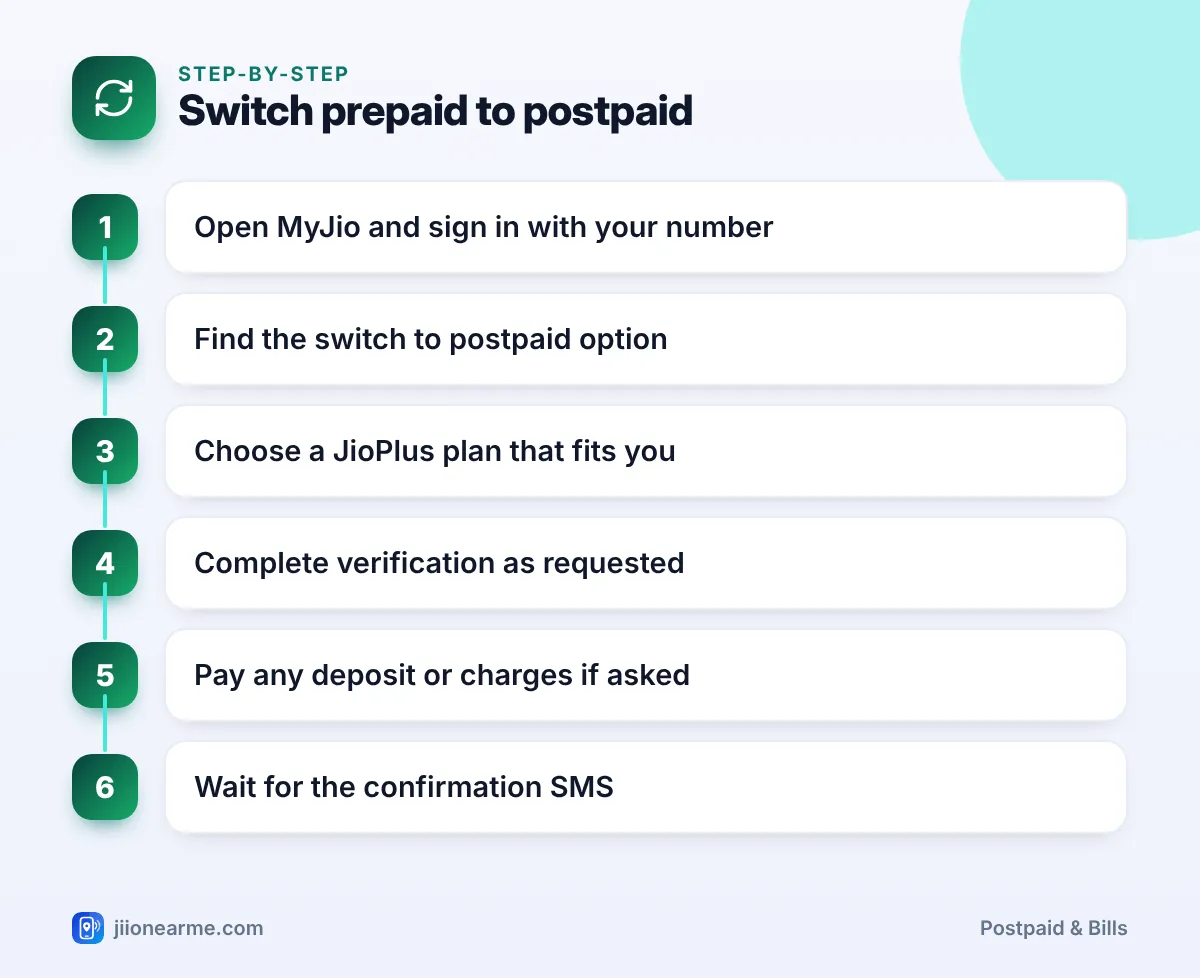
- Open the MyJio app and sign in with your Jio prepaid number.
- Look for a switch option. It may appear as a banner on the home screen, in the plans section, or in the menu (☰) under a name like Switch to Postpaid or JioPlus.
- Choose a JioPlus plan. Compare individual and family plans, and read the benefits and terms carefully.
- Complete verification as requested. You may need to confirm details or update your KYC.
- Pay any deposit or charges if the app asks for them.
- Wait for confirmation. You should get an SMS when the conversion is complete.
During the changeover, services may pause briefly. Restart your phone once the confirmation arrives if calls or data do not work right away.
Never share an OTP, Aadhaar details or passwords with anyone who calls offering to “upgrade” you to postpaid. Any genuine verification code is meant only for you to enter in the official app or website yourself.
Other Official Ways to Switch
If you do not see the option in the app, use one of these:
- Jio website: Visit jio.com and look for the postpaid or JioPlus section, where you can start a prepaid to postpaid request.
- Jio Store or authorised retailer: Visit with your phone and a valid ID. Staff can complete verification and process the switch.
- Customer care: Call 199 from your Jio number for queries about switching, or the toll-free number 1800-889-9999.
A store visit is a good choice if your KYC needs updating, or if you want to set up a family plan for several members at once.
What Happens After the Switch
Once your number is on postpaid, a few things change in daily use.
| Area | On prepaid | After switching to postpaid |
|---|---|---|
| Payment | Recharge before use | Pay a bill after each billing cycle |
| Validity | Plan expires on a set date | No recharge expiry |
| Balance check | Remaining data and validity | Remaining data and unbilled usage |
| Spending limit | What you recharged | A credit limit set for your account |
| Records | Recharge receipts | Monthly bill, downloadable as PDF |
Your first bill
Your first postpaid bill may look different from later ones. If you switched in the middle of a billing cycle, it may include charges for part of a month. It can also show a one-time charge or deposit, if one applies. Read it carefully in MyJio.
Set up autopay
Postpaid bills have a due date. Setting up autopay through the MyJio app or a UPI mandate helps you avoid late payment charges and service restrictions.
Common Problems During the Switch
- No switch option in MyJio: Update the app, or use jio.com or a Jio Store instead.
- Verification failed: Your KYC details may need updating. Visit a Jio Store with your ID.
- Services not working after confirmation: Restart your phone, and check that mobile data is on. If the problem continues, call 198 to register a complaint.
- Unexpected charge: Check your bill details in MyJio, then contact customer care before the due date if something looks wrong.

Frequently Asked Questions
How long does the switch from prepaid to postpaid take?
Timelines vary by route and verification. You will usually get an SMS when the conversion is complete.
Will I lose my remaining prepaid data?
Unused prepaid benefits may not carry over to postpaid. Switching near the end of your current recharge reduces any loss.
Is a security deposit required?
A refundable security deposit may apply, depending on the plan, payment method and eligibility. The app or store will tell you before you confirm.
Can I add family members after switching?
Yes. If you choose a JioPlus family plan, you can add members through MyJio or a Jio Store, as long as your plan has a free slot.
Can I switch back to prepaid later?
Usually yes. You can request a move back to prepaid after clearing any pending dues, and your number stays the same.
Summary
Switching from Jio prepaid to postpaid keeps your number and replaces recharges with a monthly bill. Start in the MyJio app, or use jio.com or a Jio Store if the option is not visible.
Keep your ID and a payment method ready, time the switch near the end of your recharge, and set up autopay once you are on postpaid. For any doubts, call 199 from your Jio number.
JIo Near me is an independent guide and is not affiliated with Reliance Jio. App menus, plans and policies can change – always confirm current details in the official MyJio app or on jio.com. We will never ask for your OTP, PIN or passwords.