The TRAI DND app lets you complain about unwanted sales calls and SMS directly to your telecom operator, so action can be taken against the sender. You register with your mobile number, pick the call or message from your call log or inbox, add a few details and submit. The app then shows the complaint status as it moves forward.
This guide covers installing and registering, setting your preference, filing a complaint on Android and iPhone, and tracking it. It also explains which kinds of calls belong somewhere else.
- The TRAI DND app is published by the Telecom Regulatory Authority of India and works for all mobile operators.
- Register with your mobile number and an OTP that you enter only inside the app.
- On Android, you can pick spam calls and SMS straight from your call log or inbox.
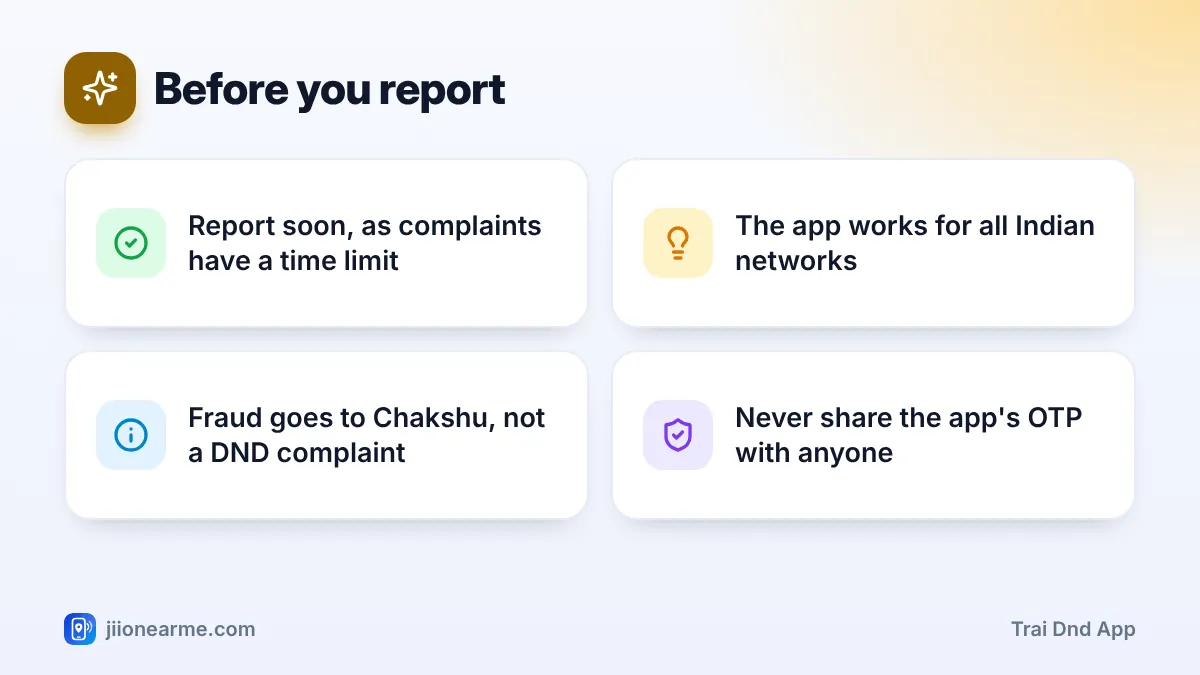
- File complaints soon after the call or SMS, because TRAI’s rules set a time limit.
- Fraud calls and messages should be reported on Chakshu instead.
What the TRAI DND App Does
The TRAI DND app is the regulator’s own tool for unsolicited commercial communication. It has three main jobs:
- Set your DND preference: full block or chosen categories.
- Report unwanted calls and SMS: from registered telemarketers who ignore your preference, and from unregistered senders using ordinary numbers.
- Track complaints: see each complaint’s number and status.
Your complaint goes to your operator, which checks it against the rules. Repeated violations can lead to action against the sender, including warnings and, for unregistered telemarketers, disconnection of the numbers they use.
How to Install and Register on the TRAI DND App
- Open the Google Play Store or App Store and search for TRAI DND.
- Check that the developer is the Telecom Regulatory Authority of India before you install it.
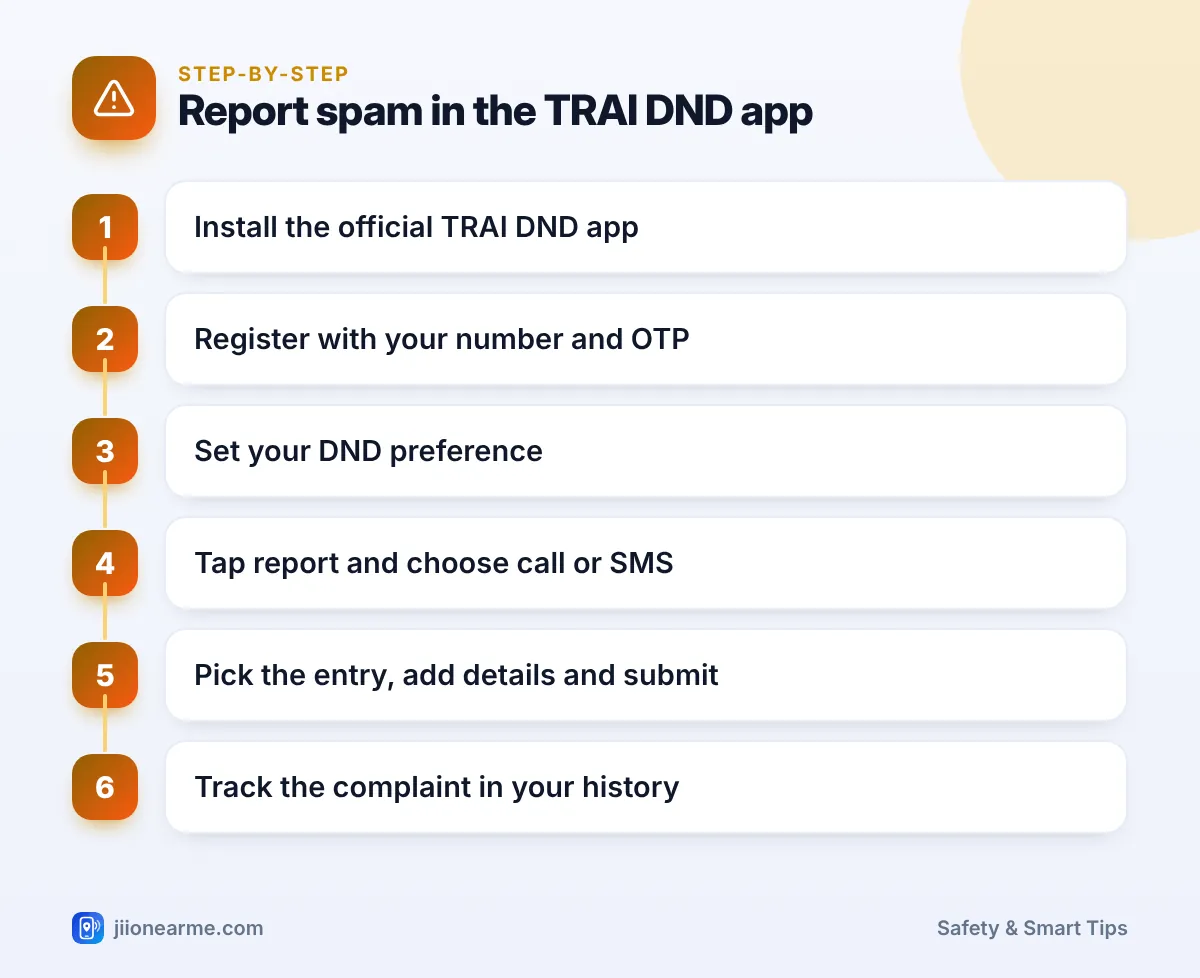
- Open the app and enter your 10-digit mobile number.
- Enter the OTP you receive. On Android, the app may read it automatically.
- Allow the permissions the app requests, or skip the ones you are not comfortable with.
On Android, the app may ask to read your call log and SMS. This lets you choose a spam entry from a list rather than typing everything. If you decline, you can usually enter the details by hand.
Type the registration OTP only into the TRAI DND app. Nobody from TRAI, Jio or any “DND helpdesk” will call to ask for it. A caller who asks is a fraudster.
Set Your DND Preference First
Before you file complaints, set your preference in the app:
- Open the menu or home screen and look for DND preference or a similar option. Labels can differ by app version.
- Choose full block, or pick the categories you want to block or receive.
- Submit and wait for a confirmation SMS from your operator.
Complaints against registered telemarketers are checked against this preference, so having it in place makes those complaints stronger. Calls from unregistered senders using regular mobile numbers can be reported either way.
How to Report Spam Calls and SMS in the TRAI DND App
The exact screens change between versions, but the flow is usually similar.
On Android
- Open the app and tap the option to report or file a complaint.
- Choose whether you are reporting a call or an SMS.
- The app shows recent calls or messages. Tap the unwanted one, and the number, date and time fill in automatically.
- Select the category that best fits what was being promoted, such as banking or real estate.
- Add a short description, for example “loan offer call” or “property sale SMS”.
- Submit, and note the complaint number shown.
On iPhone
- Open the app and tap the report or complaint option.
- Choose call or SMS.
- Enter the sender’s number, the date and time, and the message text or a short description of the call.
- Select the category and submit.
On supported iOS versions, you may be able to set TRAI DND as the reporting extension under the Phone or Messages settings in the iPhone Settings app. Look for an option named along the lines of SMS/Call Reporting. Once set, you can report straight from your recent calls or messages.
Take a screenshot of the call log or SMS before reporting. If you ever need to follow up with your operator, the screenshot gives you the exact time and number.
How to Track Your Complaint Status
After you submit, open the app’s complaint history or my complaints section. Each complaint shows its number and current status, such as registered, under process or closed.
Your operator investigates within the timelines in TRAI’s rules. The outcome depends on what the investigation finds. If a complaint is closed and you disagree, you can contact your operator’s customer care. Jio users can call 198 for complaints or 199 for queries from their Jio number.
What to Report Here and What to Report Elsewhere
The TRAI DND app is for commercial communication. Use the right channel for other problems:
| What happened | Where to report |
|---|---|
| Promotional call or SMS despite your DND preference | TRAI DND app or 1909 |
| Sales call from an ordinary 10-digit number | TRAI DND app or 1909 |
| Fake KYC, threat, lottery or impersonation call | Chakshu on the Sanchar Saathi portal |
| Money lost or bank details shared | 1930 or cybercrime.gov.in, and your bank |
| Spam on WhatsApp | Block and report inside WhatsApp |
TRAI’s rules set a time window for complaints after the call or message. Report the same day where possible, while the details are fresh and well inside the limit.
Frequently Asked Questions
Do I need to set a DND preference before filing a complaint?
It helps. Complaints against registered telemarketers are checked against your preference. Calls from unregistered senders using regular mobile numbers can be reported even without one.
Is the TRAI DND app available for iPhone?
Yes. It is available on the App Store as well as the Google Play Store. On iPhone, you may need to enter some details manually.
Does the TRAI DND app work for Jio numbers?
Yes. The app is run by TRAI and works for all mobile operators in India, including Jio.
Can I report WhatsApp spam in the TRAI DND app?
No. The app covers calls and SMS on your mobile number. Report WhatsApp spam inside WhatsApp, and use Chakshu on Sanchar Saathi if the message is a fraud attempt.
How will I know if action was taken?
Check the complaint history in the app for status updates. Operators do not always share details of the action taken against a particular sender.
Final Thoughts
The TRAI DND app turns a moment of annoyance into a formal complaint. Register once, set your preference and report unwanted calls and SMS as soon as they arrive. Keep fraud reports for Chakshu and 1930, and use the app regularly so that persistent senders are flagged.
JIo Near me is an independent guide and is not affiliated with Reliance Jio. App menus, plans and policies can change – always confirm current details in the official MyJio app or on jio.com. We will never ask for your OTP, PIN or passwords.