Recharging in advance is a sensible habit, and Jio does not waste the new plan. It waits in a queue as an upcoming plan and starts on its own when your current plan’s validity ends. You can see it in MyJio by tapping the plan card on the home screen and opening My Plans.
This guide shows you exactly where queued plans appear, how to confirm the start date, and what happens to your current benefits at the moment of the switch. It also covers what to do if your advance recharge does not show up.
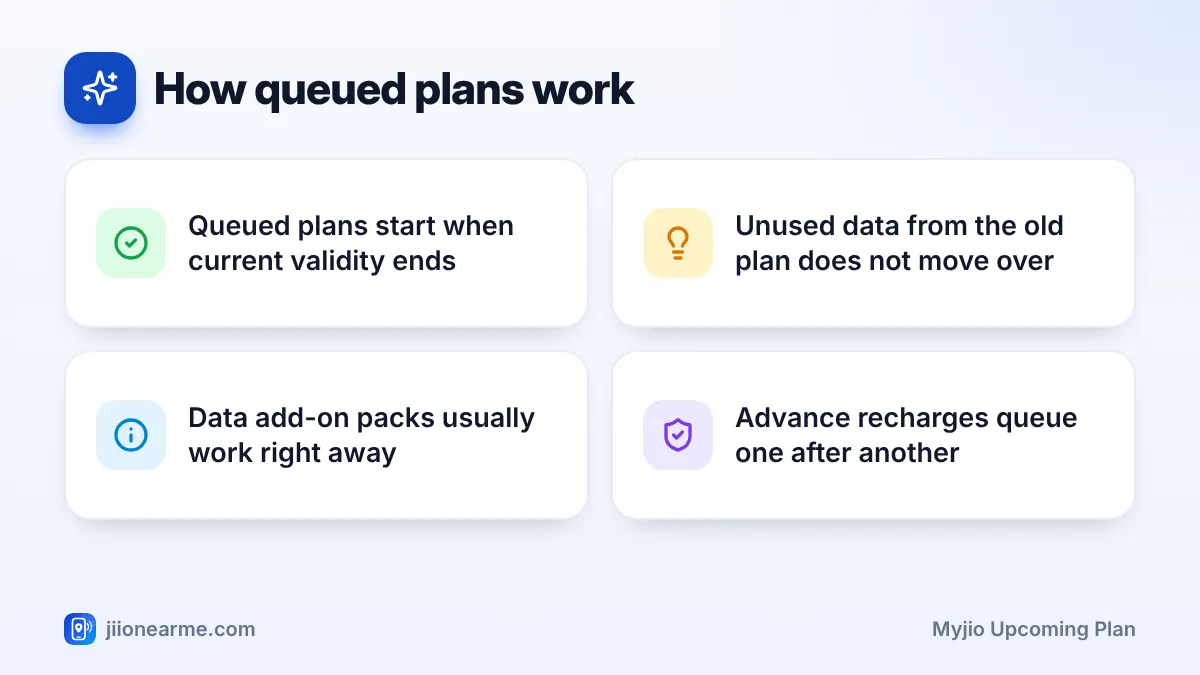
- A prepaid plan recharged while another is active is usually queued as an upcoming plan.
- MyJio lists queued plans separately, often under Upcoming plans in My Plans.
- The queued plan starts automatically when the current plan’s validity ends.
- Unused data from the old plan does not carry forward to the new one.
What a Queued Plan Means
When you recharge a Jio prepaid number that already has an active plan, the new plan does not replace the current one. Instead, it is stored as an upcoming plan. Your current plan keeps running with all its benefits until its validity ends.
Once that happens, the upcoming plan becomes active, and its full validity starts from that point. This means you do not lose any days by recharging early.
Queued or upcoming plans are a prepaid feature. Postpaid connections work on a monthly bill cycle, so plan changes there follow a different process shown in the postpaid section of MyJio.
How to See Your MyJio Upcoming Plan
The steps are the same on Android and iPhone. App labels can vary slightly between versions.
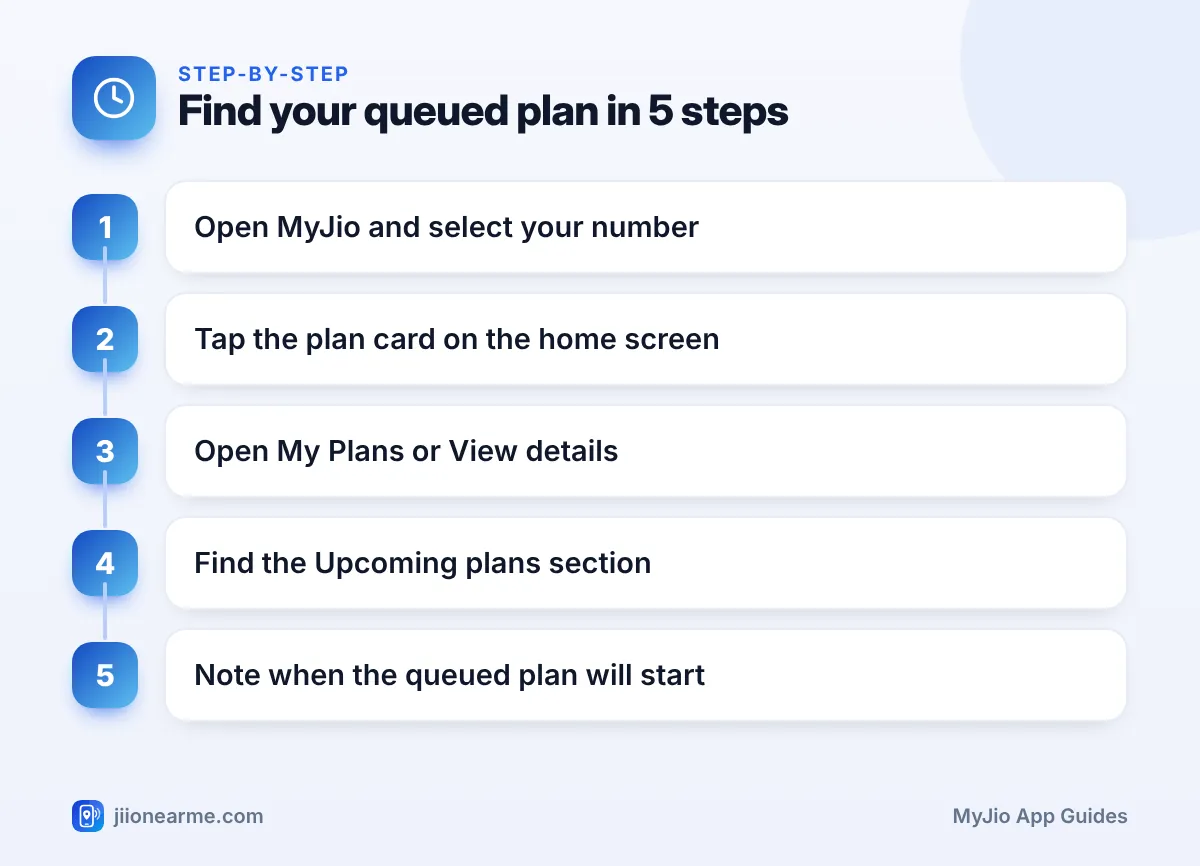
- Open the MyJio app and sign in with your Jio number and OTP if asked.
- If you have linked several accounts, select the mobile number you recharged.
- Tap the plan card on the home screen.
- Open My Plans, Plan details or View details.
- Scroll past your active plan to find a section such as Upcoming plans or Queued plans.
- Tap the upcoming plan to see its benefits and, where shown, its expected start date.
If you made more than one advance recharge, each one should appear in this section. They usually run one after another in the order you recharged.
When the Queued Plan Takes Over
The switch happens automatically. You do not need to tap anything or call anyone. Here is how it typically works in different situations:
| Situation | What usually happens |
|---|---|
| Current plan validity ends | Upcoming plan starts automatically |
| Daily data runs out but validity remains | Upcoming plan stays queued; speed drops until reset |
| You buy a data add-on pack | Add-on usually works right away with the current plan |
| You have two or more queued plans | They start one after another |
To know your exact start date, check your current plan’s validity on the plan card. The upcoming plan begins when that validity ends.
Why the Daily Data Situation Confuses People
A common mistake is expecting the queued plan to start as soon as today’s data runs out. It does not. A queued plan waits for the current plan’s validity to end, not its data. If you need more data today, a data add-on pack is usually the faster fix. Check the current add-on packs in MyJio or on jio.com.
What Happens to Your Current Benefits
When the current plan ends and the queued plan starts, a few things change at once:
- Unused data does not carry over. Any data left from the old plan expires with it.
- App benefits follow the new plan. If the new plan includes different bundled apps, those apply from the start date.
- Validity resets. The new plan’s full validity runs from the day it becomes active, not from the day you paid.
- Add-on packs may expire. Some add-on packs are tied to the base plan’s validity and end with it. Check each pack’s details.
If you are travelling or will be busy around your plan’s end date, recharge a few days early. The new plan will be ready in the queue, and your service continues without a gap.
If Your Upcoming Plan Is Not Showing
Sometimes you recharge in advance but cannot find the plan in MyJio. Work through these checks:
- Refresh the app. Pull down on the plan screen or close and reopen MyJio.
- Check recharge history. Confirm the payment shows as successful, not failed or pending.
- Confirm the number. Make sure you recharged the correct Jio number, especially if you paid through another app.
- Wait a little. A recharge can take some time to reflect, especially during busy hours.
- Contact support. If the payment succeeded but the plan is still missing, call 199 from your Jio number or use the help section in MyJio.
If money was deducted but the recharge failed, the amount is usually refunded to your original payment method. Your bank or payment app can confirm the refund status.
A recharge made to the wrong number is difficult to reverse. Before you pay, especially in third-party apps, read the number on the confirmation screen carefully.
Frequently Asked Questions
Will my upcoming plan start automatically?
Yes. Once your current plan’s validity ends, the queued plan becomes active on its own. You do not need to activate it manually.
Can I recharge again if I already have an upcoming plan?
Usually yes. The next plan joins the queue after the existing upcoming plan. If you reach any limit on queued plans, MyJio will let you know when you try to recharge.
Can I start my queued plan early?
MyJio does not always offer a way to start a queued plan before the current one ends. Call 199 from your Jio number to ask what is possible for your plan, or buy a data add-on if you only need more data.
Does unused data from my current plan carry forward?
No. Data left in your current plan expires when its validity ends. The upcoming plan then starts with its own fresh benefits.
Why does my upcoming plan end later than I expected?
Validity for a queued plan is counted from the day it becomes active, not the day you paid. So its end date depends on when your current plan finishes.
Conclusion
Advance recharges are safe on Jio. Your new plan waits in the queue and starts as soon as the current one ends. To confirm, open the plan card in MyJio, go to My Plans, and look for the upcoming plan section.
Keep an eye on your current validity date, remember that leftover data does not move over, and use a data add-on if you run short before the switch. If a paid recharge does not appear, check your recharge history first and then contact Jio support.
JIo Near me is an independent guide and is not affiliated with Reliance Jio. App menus, plans and policies can change – always confirm current details in the official MyJio app or on jio.com. We will never ask for your OTP, PIN or passwords.
