Here is the one rule that stops most UPI scams: you need your UPI PIN to send money, never to receive it. If someone asks you to scan a QR code, approve a request or enter your PIN so that money can come into your account, they are trying to take money out of it.
Below are the common tricks behind QR code and collect request frauds, everyday scenarios where people get caught, and what to do if you have already paid.
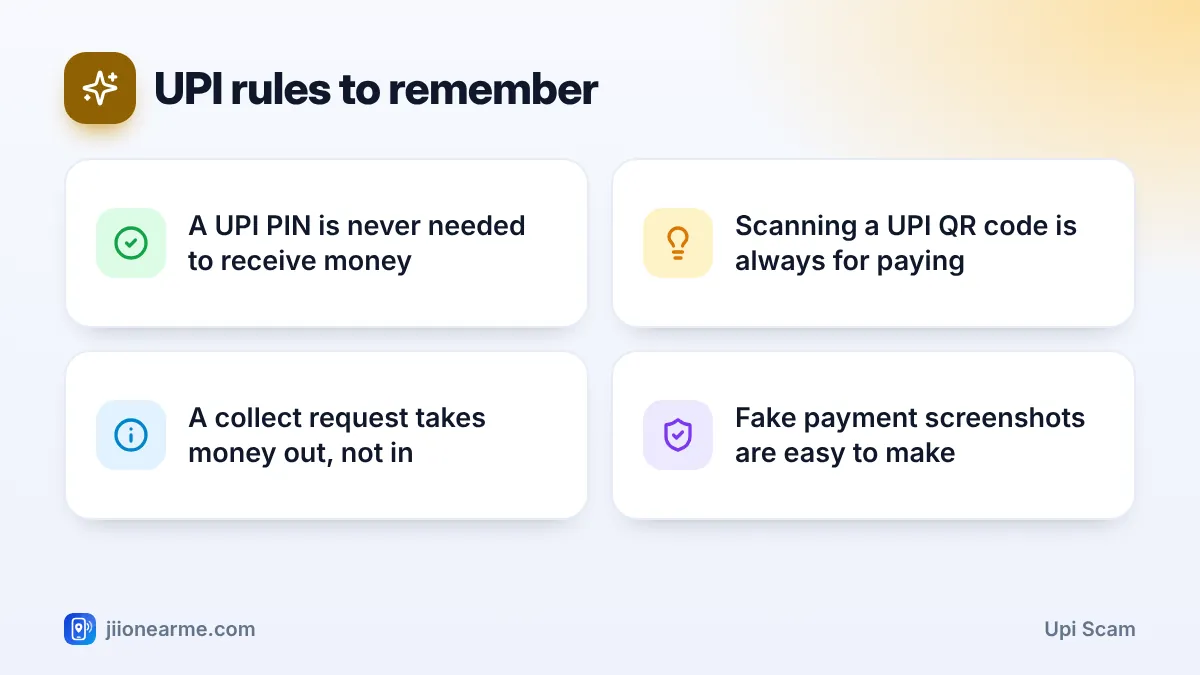
- Entering your UPI PIN always approves a payment or a mandate. It never receives money.
- Scanning a QR code and entering your PIN sends money to the person who made the code.
- A collect request asks you to pay, even if it is labelled “refund” or “cashback”.
- Fraudsters pose as buyers, refund agents or relatives to create urgency.
- If money is lost, call 1930 and your bank immediately.
How UPI Payments Really Work
UPI lets you move money between bank accounts through an app. When someone sends you money, it simply arrives. You get an SMS or a notification, and you do not need to do anything.
You enter your UPI PIN only when you:
- Send money to someone
- Pay at a shop by scanning their QR code
- Approve a payment request (collect request) from someone else
- Set up an autopay mandate for a subscription or bill
- Check your bank balance in the app
Notice that “receive money” is not on that list. That gap in understanding is exactly what a UPI scam exploits.
Common UPI Scam Types: QR Codes and Collect Requests
QR code scams
A UPI QR code holds payment details, such as the receiver’s UPI ID and sometimes a fixed amount. When you scan it and enter your PIN, money goes from you to the person who created the code.
Fraudsters send a QR code and say, “Scan this to receive your payment.” Some write the amount on the image to make it look like an incoming credit. Once you enter your PIN, that amount leaves your account.
Another version targets shops. A fraudster pastes their own QR sticker over a shop’s real code, so customer payments go to the fraudster. Shopkeepers should check their QR stand daily and confirm payments through the sound box or app alerts.
Collect request scams
A collect request is a message inside your UPI app asking you to pay a set amount. It has genuine uses, such as a merchant asking you to complete an order payment. Rules on person-to-person collect requests have been tightened recently, and many apps now limit them. But requests, payment links and approval screens can still be misused, so the habit of checking stays important.
Scammers label these requests as “refund”, “cashback approved” or “prize amount”. The screen may even show a friendly green button. If you tap Pay and enter your PIN, you pay.
Fake “sent by mistake” messages
You get an SMS that looks like a bank credit, followed by a call: “I sent money to you by mistake, please return it.” The SMS is fake, often sent from an ordinary mobile number. Always check your balance in your bank app, not the SMS, before returning anything.
Before you enter your UPI PIN, read three things on the screen: who is receiving the money, the amount, and whether the button says Pay. If any of these surprise you, cancel.
Real-World Scenarios to Watch For
These situations come up again and again. Learn to spot the pattern.
| Scenario | What the fraudster says | What is really happening |
|---|---|---|
| Selling an item online | “I am paying you, scan this QR code” | Scanning and entering your PIN pays them |
| Refund for a failed order | “Accept the refund request in your app” | The request takes money from you |
| Cashback or reward | “Enter your PIN to claim the reward” | No genuine reward needs your PIN |
| Wrong transfer | “I sent money by mistake, return it” | The credit SMS is fake |
| Fake customer care | “Install this app and share your screen” | They watch your PIN and OTPs |
The online buyer story is very common. Someone posing as a buyer, sometimes claiming to be from the armed forces or a big company, agrees to your price very quickly. Then they ask you to scan a QR code “to receive the advance”. A genuine buyer can simply send money to your UPI ID or mobile number.
How to Avoid a UPI Scam
Follow these steps every time you are about to enter your UPI PIN.
- Pause if you expect to receive money. If you are the one getting paid, you should not be entering your PIN at all.
- Read the payee name. Check that the name shown in the app matches the shop or person you intend to pay.
- Check the amount. Make sure it matches what you agreed to pay, not a larger figure.
- Look at the button. “Pay” or “Approve” means money goes out of your account.
- Decline unexpected requests. If a request arrives that you did not expect, decline it. Many apps also let you block or report the sender.
- Verify credits in your bank app. Do not accept a forwarded screenshot or SMS as proof that money reached you.

When you are receiving money, share your UPI ID or mobile number and let the other person pay. There is no need for you to scan anything or open any request.
What to Do If You Have Already Paid
Speed matters. The sooner you report, the better the chance of stopping the money from moving further.
- Call 1930, the national cybercrime helpline, and explain the fraud. You can also file a complaint on cybercrime.gov.in.
- Inform your bank through its official helpline and raise a dispute. Your UPI app may also have a help or dispute option for that transaction.
- Note the details: transaction ID or UTR number, date, time, amount, and the receiver’s UPI ID or number.
- Change your UPI PIN if you think anyone saw you type it.
- Report the fraudster’s phone number through Chakshu on the Sanchar Saathi portal.
Be careful of anyone who later offers to “recover” your money for a fee. That is usually a second scam aimed at the same victim. If your Jio SIM suddenly loses network around the same time, call 1800-889-9999 from another phone to check for a SIM swap.
Frequently Asked Questions
Do I need to enter my UPI PIN to receive money?
No. Money sent to you arrives without any action from your side. A PIN is needed only when money leaves your account, when you set up a mandate or when you check your balance.
Is it safe to scan any QR code?
A UPI QR code is always for paying, so check the name and amount carefully before entering your PIN. Some QR codes open web links instead, so look at where the link leads before you continue.
Can I get money back after a UPI scam?
It depends on how fast you report and whether the money can still be traced and held. Call 1930 and your bank immediately and keep all transaction details ready.
What is a UPI collect request?
It is a request asking you to pay. Approving it with your PIN sends money to whoever raised it, whatever label the request shows.
Wrapping Up
Every UPI scam that uses QR codes or collect requests depends on one confusion: thinking a PIN helps you receive money. It never does. Make it a family rule that the PIN is typed only after you have decided to pay, and only after checking who is getting the money and how much.
JIo Near me is an independent guide and is not affiliated with Reliance Jio. App menus, plans and policies can change – always confirm current details in the official MyJio app or on jio.com. We will never ask for your OTP, PIN or passwords.
