The quickest test is the sender name at the top of the message. Business messages in India, including a genuine Jio SMS, come from a registered alphabetic sender ID (called a header), not from an ordinary 10-digit mobile number. If a “Jio” message comes from a personal number, treat it as fake.
The sender is only the first check, though. This article explains how headers work, the red flags to look for inside the message, and how to confirm any claim safely in the MyJio app.
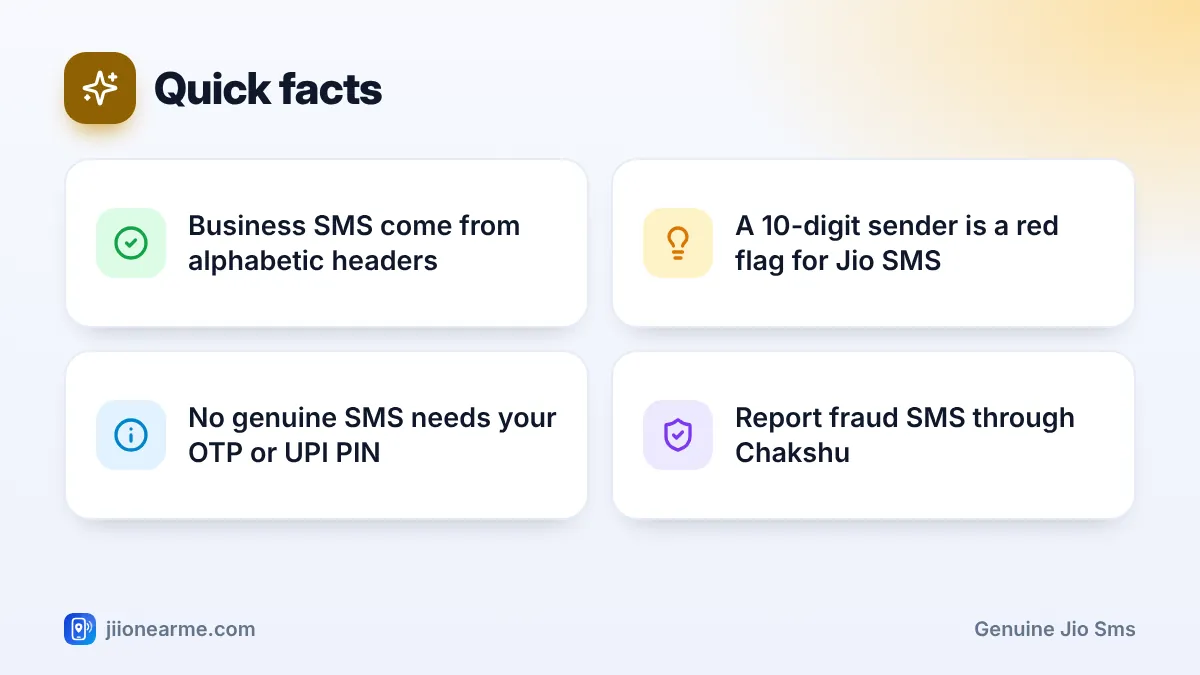
- Business SMS are sent from registered headers, usually shown as a short prefix, a hyphen and letters.
- A message claiming to be from Jio but sent from a 10-digit mobile number is a red flag.
- A correct-looking sender is not enough. Check the content for threats, links and requests.
- Never share OTPs, UPI PINs or Aadhaar details in response to any SMS.
- Confirm plan, validity and account details in the MyJio app or by calling 199.
How SMS Sender Headers Work in India
Companies that send bulk SMS in India must register their sender IDs, called headers, under TRAI’s rules. These headers are made of letters, not a phone number.
On your phone, a business SMS usually shows a sender like XY-ABCDEF, where:
- The two letters before the hyphen relate to the telecom operator and service area that delivered the message.
- The part after the hyphen is the registered header of the business.
- Some messages also end with a short letter such as -S, -T, -P or -G. Newer TRAI rules use these to mark service, transactional, promotional and government messages.
Messages from Jio come from such alphabetic headers, usually with “JIO” in the name. The two-letter prefix can change depending on where you are, which is normal.
Header rules make spoofing harder, but they do not make every message trustworthy. Business headers have been misused in some cases, and some scam messages arrive through international routes, internet messaging or chat-style business messages. Always check the content as well.
Red Flags That Show a Message Is Not a Genuine Jio SMS
Check the text against this list. One red flag is enough reason to stop.
- Threats with a deadline. “Your SIM will be blocked in 2 hours” or “service suspended tonight”.
- A request to call a mobile number. Jio support is reached through official numbers such as 198 and 199 from a Jio number, or the toll-free number 1800-889-9999.
- A request for an OTP, UPI PIN or Aadhaar. No genuine service message asks you to send these back or read them to a caller.
- Unusual links. Shortened links or addresses that do not lead to jio.com.
- Requests to install an app. Especially screen sharing or “support” apps, or files ending in .apk.
- Too-good-to-be-true offers. Free recharges, lottery prizes or large cashback for clicking a link.
- Spelling and grammar mistakes. Odd capital letters, random symbols or clumsy sentences.
- A personal tone. Lines like “Dear sir, call me urgently” do not match how service messages are written.
| Sign | Genuine Jio SMS (typical) | Scam SMS (typical) |
|---|---|---|
| Sender | Alphabetic header | 10-digit mobile number or odd sender |
| Tone | Informational | Urgent, threatening or exciting |
| Request | Usually none, or check MyJio | Call, click, pay or share an OTP |
| Links | If any, lead to jio.com or the app | Look-alike or shortened links |
| OTP or PIN request | Never | Often |
How to Confirm a Message in the MyJio App
Instead of trusting what the SMS says, check the facts yourself.
- Open the MyJio app directly from your home screen. Do not use a link from the message.
- Check your plan and validity on the home screen or in the plan section. If the SMS said your plan expired or service is about to stop, you will see the real status here.
- Check your recharge history if the message mentions a payment, refund or failed recharge.
- Look at notifications inside the app for any genuine alert from Jio.
- Call support if needed. Dial 199 from your Jio number for queries or 198 for complaints. You can also call 1800-889-9999.

App labels can differ slightly by app version, but your plan details, validity and history are usually reachable from the home screen or the menu (☰).
If a message mentions a recharge or bill, compare it with what MyJio shows. A fake “recharge failed, click for refund” SMS falls apart the moment you see the successful recharge in your history.
What to Do With a Fake Jio SMS
Once you are sure a message is fake:
- Do not reply, click or call back.
- Take a screenshot, then report it through Chakshu on the Sanchar Saathi portal or app.
- If it is plain marketing spam rather than fraud, report it through the TRAI DND app or 1909.
- Block the sender in your messages app and delete the SMS.
- If you clicked a link and entered details, call your bank and change your passwords. If you lost money, call 1930.
Many scam messages ask you to call back. The person who answers will sound helpful and may ask you to install an app or share a code. Ending the conversation early is always the safer choice.
Frequently Asked Questions
What does a genuine Jio SMS sender look like?
It shows a letters-based sender, often with a two-letter prefix and a hyphen, rather than a 10-digit mobile number. The prefix may vary by location, which is normal.
Can scammers fake a Jio sender ID?
Header rules make it harder, but no check is perfect. Always look at the content too, and confirm any important claim in the MyJio app.
I got a Jio OTP I did not request. What should I do?
Do not share it with anyone. Someone may have typed your number by mistake or may be trying to access an account. If it keeps happening, call 199 from your Jio number.
Does Jio send messages from 10-digit mobile numbers?
Treat any message that claims to be from Jio but arrives from an ordinary 10-digit number as suspicious. Verify through the MyJio app or official support instead.
Where do I report a fake Jio SMS?
Report it through Chakshu on the Sanchar Saathi portal or app. If you lost money, call 1930 or use cybercrime.gov.in.
Summary
A genuine Jio SMS comes from a registered business header, speaks plainly and never asks for your OTP, PIN or Aadhaar. A scam message often comes from a regular number, creates panic and pushes you to click, call or pay. When in doubt, ignore the message and check the facts in the MyJio app.
JIo Near me is an independent guide and is not affiliated with Reliance Jio. App menus, plans and policies can change – always confirm current details in the official MyJio app or on jio.com. We will never ask for your OTP, PIN or passwords.
