Everything your current Jio plan includes is listed on one screen in MyJio. You only need to know where to tap. Open the app, tap the plan card on the home screen or look for My Plans, and you will see your daily data, calling, SMS, validity and any bundled app subscriptions.
Checking this screen is a good habit right after a recharge, before you switch to a different plan, or when an app benefit does not seem to work. This guide shows you how to open it and what each part means.
- Tap the plan card on the MyJio home screen or open My Plans to see your full plan details.
- The screen lists data, calling, SMS, validity and any bundled app benefits.
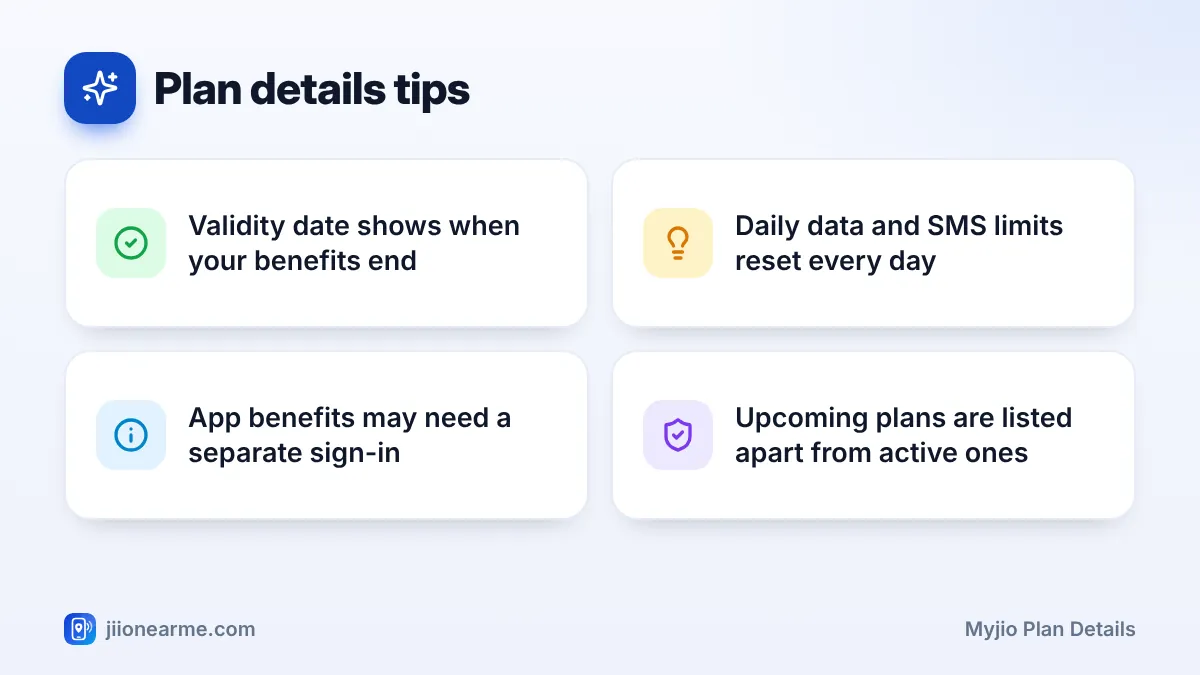
- Upcoming (queued) plans and add-on packs usually appear separately from your active plan.
- Bundled apps generally need you to sign in with the same Jio number.
How to Open MyJio Plan Details
The steps are the same on Android and iPhone. Labels can differ slightly by app version, so look for similar wording if your screen does not match exactly.
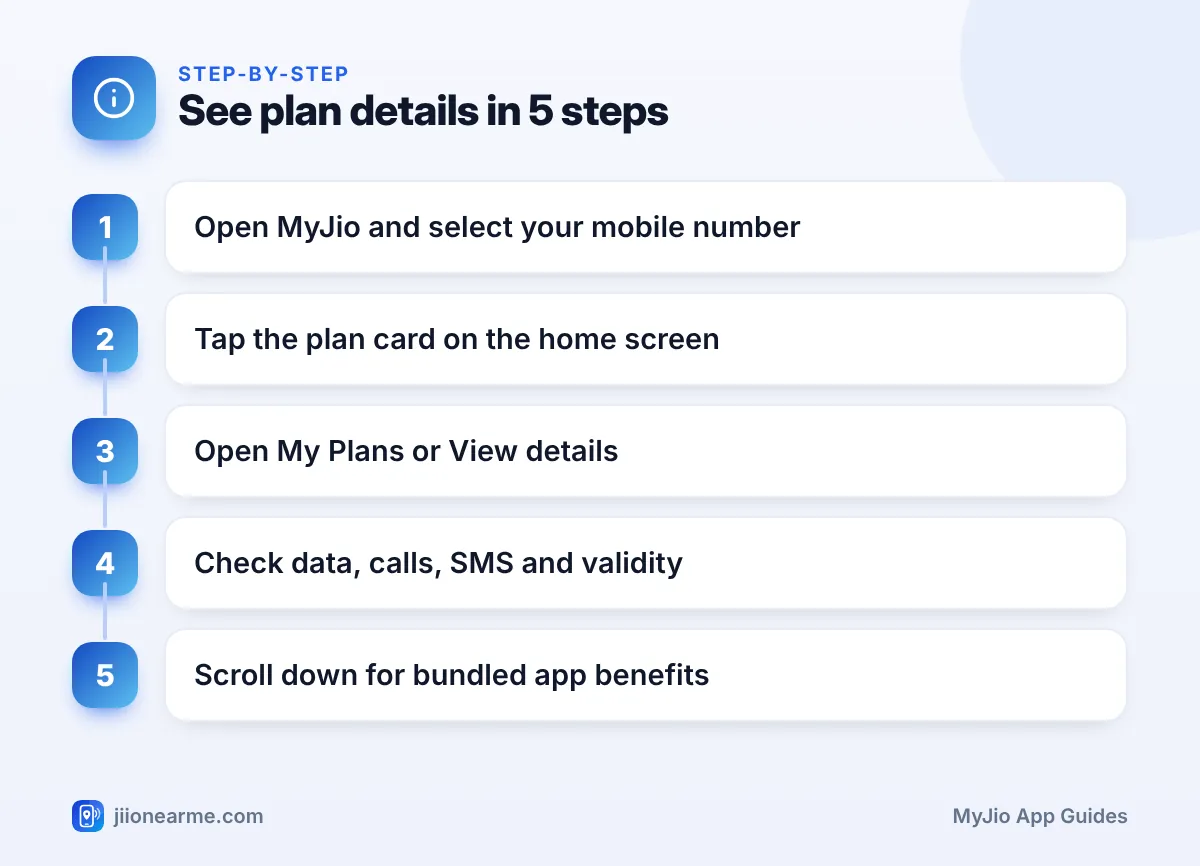
- Open the MyJio app and sign in with your Jio number and OTP if needed.
- If you have linked more than one account, select your mobile number from the account switcher at the top.
- Tap the plan card on the home screen. This card usually shows your data balance and validity.
- On the next screen, look for My Plans, Plan details or View details.
- Scroll through the page to see data, calling, SMS, validity and other benefits.
You can also reach the same page from the menu (☰). Look for a My Plans or Plans option under your mobile number.
A plan you just recharged may take a few minutes to show up. Pull down to refresh. If you recharged in advance, the new plan may be listed under Upcoming plans until your current one ends.
What Each Part of the Plan Screen Means
The plan screen packs a lot of information into a small space. Here is how to read it.
Plan Name and Validity
At the top, you usually see the plan name and its validity. The validity shows the date, and often the time, when the plan ends. All benefits of that plan stop at this point unless a new plan is queued.
Data Benefits
Most prepaid plans come with a daily high-speed data limit. The plan screen shows this limit and how much is left today. Some plans also include extra data or Jio True 5G benefits for eligible users on a 5G network. These are usually listed as separate lines.
Calling and SMS
Calling benefits are usually shown as unlimited voice calls, subject to the plan’s fair usage terms. SMS benefits are often given per day. If your plan has a daily SMS limit, it resets each day just like daily data.
Bundled App Benefits
Many Jio plans include access to apps such as JioTV, JioAICloud or JioHotstar. These appear in a separate section, often called Benefits, Subscriptions or something similar. Not every plan includes the same apps, so check your own screen rather than assuming.
| Benefit | Where it usually appears | What to check |
|---|---|---|
| Validity | Top of the plan card | End date and time |
| Daily data | Data section | Daily limit and today’s balance |
| Calls and SMS | Voice and SMS section | Daily SMS limit, if any |
| App subscriptions | Benefits section | Which apps are included |
| Add-on packs | Listed below the main plan | Their own validity |
Prepaid and Postpaid Plans Look Slightly Different
If you use a prepaid number, the plan screen focuses on validity and daily limits. Your benefits run from the day the plan starts until its validity ends.
If you use a postpaid number, the screen works around a monthly bill cycle. You will see your plan’s monthly benefits and how much you have used in the current cycle. JioPlus family connections may also show the members linked to the plan. Your bill and payment due date are usually found in a separate bills section.
How to Use Your Bundled App Benefits
A benefit listed in MyJio is only useful if you actually start using it. Here is the general process:
- Note the app names listed in your plan’s benefits section.
- Download each app from the Play Store or App Store, or open it on your smart TV where supported.
- Sign in with the same Jio number that has the plan, using the OTP sent to that number.
- If MyJio shows an Activate or Claim button next to a benefit, tap it first.
Some benefits come with their own conditions, such as the number of screens or devices allowed. Read the terms shown in MyJio or on jio.com for your exact plan.
Take a screenshot of your plan screen right after each recharge. If a benefit stops working later, you will have a clear record of what your plan included when you raise a query with Jio support.
When Your Plan Details Look Wrong
Sometimes the plan screen does not show what you expected. Here are common situations and what to do:
- Recharge done, plan not showing: Check your recharge history to confirm the payment succeeded. If it is still pending, wait a little and refresh.
- Old plan still showing: If you recharged before your current plan ended, the new one is queued. It starts automatically when the current plan’s validity ends.
- App benefit missing: Make sure you are signed in to the app with the right number. Some benefits only appear on specific plans.
- Validity looks shorter than expected: Compare the start date with your recharge date. The plan may have started on a different day.
If none of this helps, call 199 from your Jio number for queries or use the help section inside MyJio.
Ignore calls or messages promising a free plan upgrade if you share an OTP or click an unknown link. Jio does not need your OTP to change your plan. You can always confirm your real plan in the MyJio app or on the Jio website.
Frequently Asked Questions
Where can I see my Jio plan validity in MyJio?
Your validity is shown on the plan card on the home screen and again at the top of the plan details page. It tells you the date your current plan ends.
Why does MyJio show more than one plan?
You may have an upcoming plan queued after your active one, or an add-on pack running alongside it. Each is listed with its own details and validity.
Do I need to sign up separately for apps included in my plan?
Usually you just need to download the app and sign in with the same Jio number. Some benefits may ask you to tap an activate option in MyJio first.
Can I check my plan details without the MyJio app?
Yes. You can sign in on the Jio website with your number and an OTP to see your plan and account details on a computer or browser.
What happens to my benefits when validity ends?
All benefits of that plan stop when the validity ends, including any unused data. If an upcoming plan is queued, it starts automatically at that point.
Summary
Your MyJio plan details screen is the quickest way to confirm what your plan includes. Tap the plan card, open My Plans or View details, and check validity, data, calling, SMS and app benefits one by one.
Make a quick check after every recharge and before switching plans. If something looks off, refresh first, check your recharge history, and contact Jio support if the problem stays.
JIo Near me is an independent guide and is not affiliated with Reliance Jio. App menus, plans and policies can change – always confirm current details in the official MyJio app or on jio.com. We will never ask for your OTP, PIN or passwords.
