When both Wi-Fi Calling and VoLTE are switched on, your phone does not pick one at random. It follows your calling preference and the quality of each connection. With “Wi-Fi preferred”, calls go over Wi-Fi whenever a usable network is connected. With “Mobile network preferred”, the phone uses VoLTE first and moves to Wi-Fi only when the mobile signal is weak or missing.
Both methods carry calls on your normal Jio number, and both can sound clear. The difference lies in what each one depends on. This comparison explains how each works, how the switch happens and which setting makes sense for your home or office.
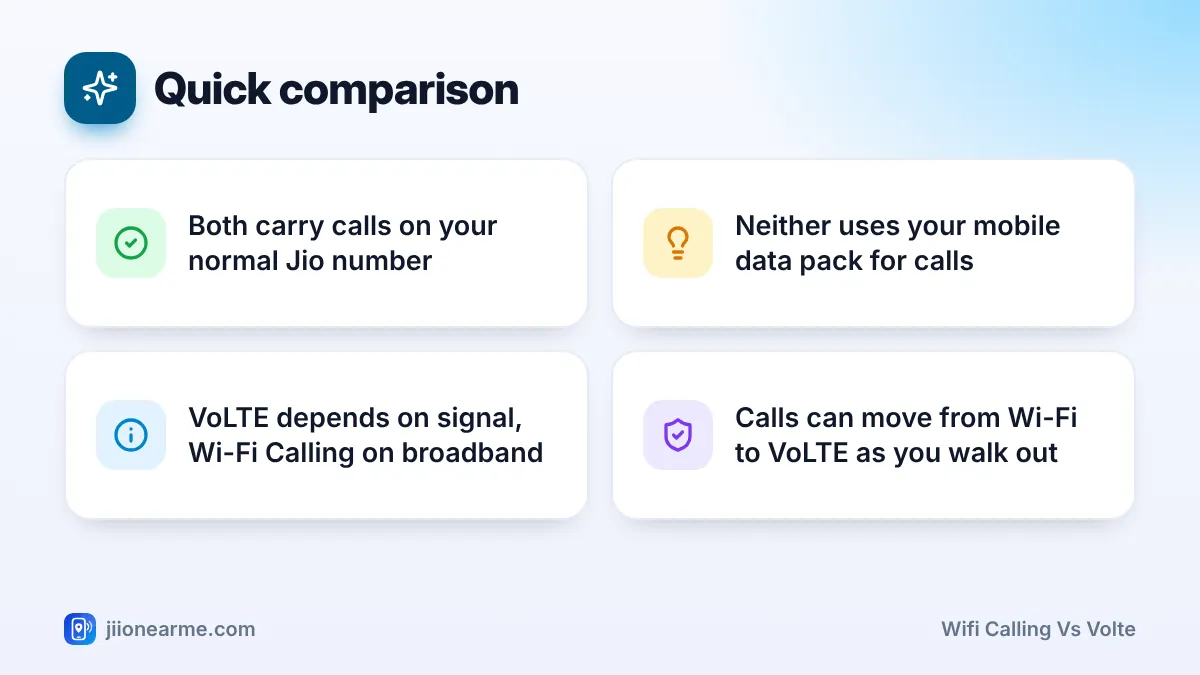
- VoLTE carries calls over Jio’s 4G network. Wi-Fi Calling carries them over your Wi-Fi broadband.
- Your calling preference, plus signal and Wi-Fi quality, decides which one your phone uses.
- iPhones decide automatically. Many Android phones let you choose Wi-Fi preferred or Mobile network preferred.
- Keep both switched on. Each acts as a backup for the other.
What VoLTE and Wi-Fi Calling Actually Are
Both are ways of sending your voice as data rather than through an old-style circuit call. The main difference is the path the call takes to reach Jio’s network.
VoLTE: Calls Over Jio’s Mobile Network
VoLTE stands for Voice over LTE. Jio has carried calls this way since launch, because it does not run older 2G or 3G networks. When you make a normal call on a Jio SIM, your phone usually uses VoLTE over the nearest Jio tower.
VoLTE calls do not use your mobile data pack. They count under your plan’s calling benefits.
Wi-Fi Calling: Calls Over Your Broadband
Wi-Fi Calling, also called VoWiFi, sends the same kind of call through your Wi-Fi internet connection instead of a tower. Your phone creates a secure link to Jio’s network over the internet, so the call still uses your Jio number.
This makes Wi-Fi Calling useful indoors, where walls block the mobile signal but your broadband works well.
Wi-Fi Calling vs VoLTE: Side-by-Side
| Point | VoLTE | Wi-Fi Calling |
|---|---|---|
| How the call travels | Over the Jio mobile network | Over your Wi-Fi broadband |
| Works best | Where the Jio signal is strong | Indoors with weak signal but good Wi-Fi |
| Quality depends on | Signal strength and tower load | Broadband speed, stability and router distance |
| Uses mobile data pack | No | No (it uses Wi-Fi) |
| What you need | VoLTE support, switched on | Supported phone, Wi-Fi Calling on, working internet |
| Usual status bar sign | 4G, 5G, LTE or VoLTE icon | Handset with Wi-Fi waves, VoWiFi, or “Jio Wi-Fi” |
The table shows why neither is always better. Each one shines where the other struggles.
How Your Phone Chooses Between Wi-Fi Calling and VoLTE
The decision happens in the background each time you make or receive a call. Three things shape it.
1. Your Calling Preference (Android)
Many Android phones show a Calling preference option inside the Wi-Fi Calling settings for your Jio SIM. The options usually include:
- Wi-Fi preferred: If you are connected to a working Wi-Fi network, calls use Wi-Fi. VoLTE takes over when Wi-Fi drops.
- Mobile network preferred: Calls use VoLTE while the signal is usable. Wi-Fi takes over only when the signal becomes poor or disappears.
Some phones hide this option and choose automatically. Labels can differ by brand and software version.
2. Automatic Choice on iPhone
iPhones do not offer a preference switch for Jio. The iPhone and Jio’s carrier settings decide, usually moving calls to Wi-Fi when the mobile signal is weak and a good Wi-Fi network is available. You can see the result in Control Centre, where “Jio Wi-Fi” appears when Wi-Fi Calling is in use.
3. Real-Time Signal and Wi-Fi Quality
Even with a preference set, the phone checks whether each path is usable. It moves away from Wi-Fi if the network has no internet access, and away from VoLTE if the signal is too weak.
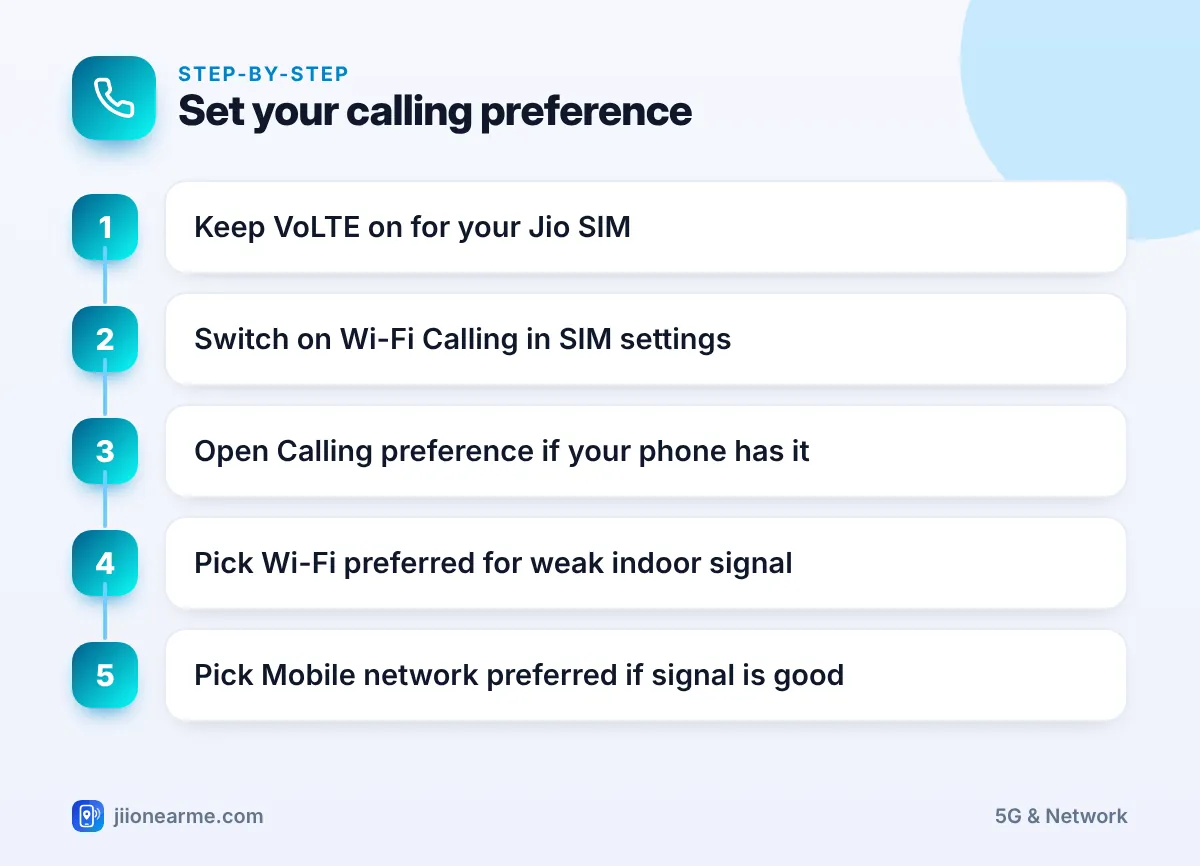
To set up the preference on an Android phone, follow these steps:
- Open Settings and go to SIM or Mobile network.
- Select your Jio SIM and confirm VoLTE is on, if the option is shown.
- Open Wi-Fi Calling and switch it on.
- Tap Calling preference if your phone offers it.
- Choose Wi-Fi preferred or Mobile network preferred.
If you turn on Aeroplane mode and then switch Wi-Fi back on, the mobile radio stays off. Calls can then go only over Wi-Fi Calling. This can help in a basement with almost no signal. Remember to turn Aeroplane mode off when you leave Wi-Fi, or you will have no mobile service.
What Happens When You Move During a Call
Calls do not always start and end in the same place. Here is what usually happens when conditions change mid-call.
- Walking out of Wi-Fi range: On supported phones, a Wi-Fi call can be handed over to VoLTE without ending. You may notice a brief pause. If the mobile signal is also weak at that spot, the call may drop.
- Walking into Wi-Fi range: A call that started on VoLTE often stays on VoLTE until it ends. Whether it moves to Wi-Fi depends on the phone and network.
- Wi-Fi slows down: If your broadband becomes congested, the call may become choppy before the phone decides to switch.
If calls drop each time you leave home, set the preference to Mobile network preferred and use Wi-Fi Calling only as a backup.
Call Quality: Which Sounds Better?
Under good conditions, both can deliver clear, HD-quality voice. Quality depends far more on conditions than on the method.
VoLTE sounds worse when:
– The Jio signal is weak, for example deep inside a building.
– Many people use the same tower at once, such as at a crowded event.
Wi-Fi Calling sounds worse when:
– Your broadband connection is slow or unstable.
– Others on the same Wi-Fi are uploading, downloading or streaming heavily.
– You are far from the router, with several walls in between.
Some phones let you turn VoLTE off. On a Jio SIM, this can stop normal calls from working, because Jio has no 2G or 3G network to fall back on. Leave VoLTE on and add Wi-Fi Calling alongside it.
Which Preference Should You Choose?
Pick the option that matches where you spend most of your time:
- Weak signal at home, good broadband: Choose Wi-Fi preferred.
- Good signal at home and work: Choose Mobile network preferred and keep Wi-Fi Calling on as a backup.
- Office in a basement or a building with thick walls: Choose Wi-Fi preferred, if the office Wi-Fi allows Wi-Fi Calling.
- You often use public or hotel Wi-Fi: Choose Mobile network preferred, as these networks can be slow or block Wi-Fi Calling.
If your phone has no preference option, leave both features on and let it decide.
Frequently Asked Questions
Does Wi-Fi Calling use my Jio data pack?
No. Wi-Fi calls run over your Wi-Fi connection, and VoLTE calls count under your plan’s calling benefits. Neither uses your mobile data pack.
Do I need VoLTE on for Wi-Fi Calling to work?
On many phones, yes. The Wi-Fi Calling switch may be greyed out until VoLTE is on for the Jio SIM, so keep both enabled.
Can I force my phone to always use Wi-Fi Calling?
Choose Wi-Fi preferred if your phone offers it. For a temporary fix, turn on Aeroplane mode and then switch Wi-Fi back on, so calls can only use Wi-Fi.
Why does my call drop when I leave home?
The handover from Wi-Fi to VoLTE can fail if the mobile signal outside your door is also weak. Switching to Mobile network preferred usually reduces these drops.
Is one more secure than the other?
Both connect through Jio’s network using built-in protection. On public Wi-Fi, Wi-Fi Calling still uses a secure link to Jio, though such networks can be slow or block it.
Summary
Wi-Fi Calling and VoLTE are partners, not rivals. VoLTE handles calls wherever the Jio signal is good, and Wi-Fi Calling covers rooms where the signal fails but broadband works. Keep both on, choose the calling preference that suits your home, and switch to Mobile network preferred if handovers cause dropped calls.
JIo Near me is an independent guide and is not affiliated with Reliance Jio. App menus, plans and policies can change – always confirm current details in the official MyJio app or on jio.com. We will never ask for your OTP, PIN or passwords.
