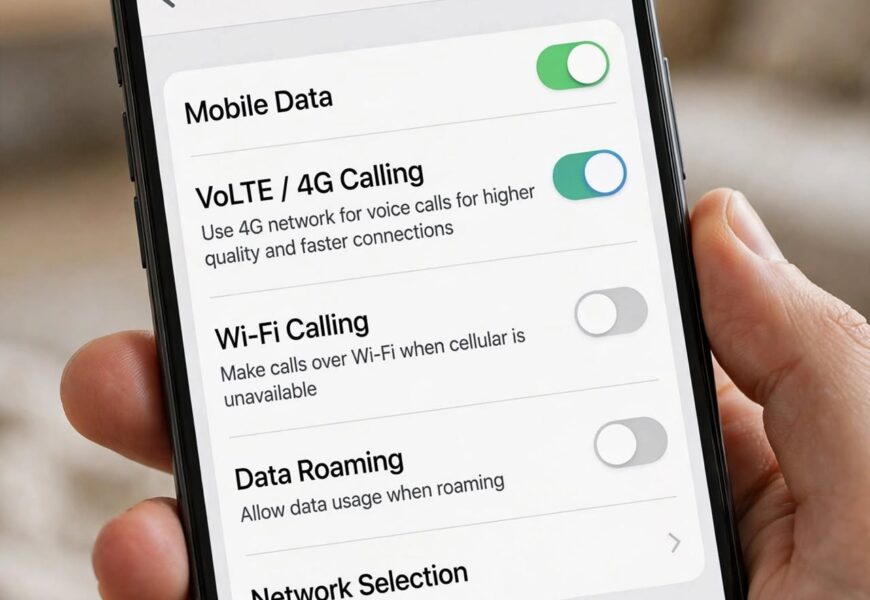
Jio runs entirely on 4G VoLTE — there’s no traditional 2G/3G calling network behind it — so if voice calls aren’t going through on your Samsung Galaxy after inserting a Jio SIM, it’s almost always a settings problem, not a network problem. The fix usually takes under five minutes once you know exactly where Samsung hides the toggle.
Quick answer: On most Samsung Galaxy phones, go to Settings → Connections → Mobile Networks, select your Jio SIM, and turn on VoLTE Calls (also called “4G Calling” or “Enhanced 4G LTE Mode” depending on the Android version). If that option doesn’t appear or calls still fail, you’ll need to install the Jio4GVoice app and configure it manually — covered in Method 2 below.
Before You Start: Two Ways to Get Jio Voice Working
Samsung Galaxy phones handle Jio calling in one of two ways, and which one applies to your device determines the setup path:
| Method | When to use it | What it looks like |
|---|---|---|
| Native VoLTE (built-in) | Most Galaxy phones released after 2017 with an official Jio-compatible software build | A “VoLTE” or “HD” icon appears in the status bar; calls work through the regular Phone app |
| Jio4GVoice app | Older or unlocked Galaxy models, imported units, or phones where native VoLTE doesn’t activate | Calls are placed through the Jio4GVoice app itself, not the default dialer |
Try Method 1 first — it’s faster and gives you normal HD calling through the stock dialer. Only move to Method 2 if VoLTE genuinely isn’t available on your device.
Method 1: Enable Native VoLTE for Jio on Samsung Galaxy
- Open the Settings app and tap Connections.
- Tap Mobile Networks.
- If you have dual SIMs, tap on your Jio SIM to open its individual settings.
- Look for VoLTE Calls (on newer One UI versions) or Enhanced 4G LTE Mode / 4G Calling (on older versions) and toggle it On.
- Go back and confirm the Network Mode is set to LTE/4G Auto rather than 3G-only or 2G-only — VoLTE won’t activate if the network mode is restricted.
- Restart your phone. You should see a small “VoLTE” or “HD” icon next to the signal bars once it’s active.
- Make a test call. If it connects and shows an HD Voice icon during the call, setup is complete.
If VoLTE Calls doesn’t appear anywhere in your settings at all, your specific Galaxy model or firmware build likely doesn’t support native Jio VoLTE, and you’ll need Method 2.
Method 2: Set Up the Jio4GVoice App
Jio4GVoice is Jio’s own calling app, built specifically for phones that can get Jio’s 4G data but can’t register for native VoLTE calling. It routes your calls over the data connection instead of the carrier’s voice network.
- Confirm your Jio SIM has active mobile data — Jio4GVoice needs a working data connection to function at all.
- Download Jio4GVoice from the Google Play Store.
- Open the app and grant it every permission it requests (Phone, Contacts, Microphone, SMS) — calls will fail silently if any of these are denied.
- Verify your number via the OTP sent to your Jio SIM.
- In the app’s settings, enable Rich Calling or Set as default for calls if prompted — this lets the app intercept calls made from your regular contacts and dialer.
- Restart your phone once setup finishes, then place a test call through the Jio4GVoice app directly to confirm it connects.
If calls still don’t go through after this, clear the app’s cache and storage data (Settings → Apps → Jio4GVoice → Storage → Clear Cache & Clear Data), then reopen and re-register the app from scratch.
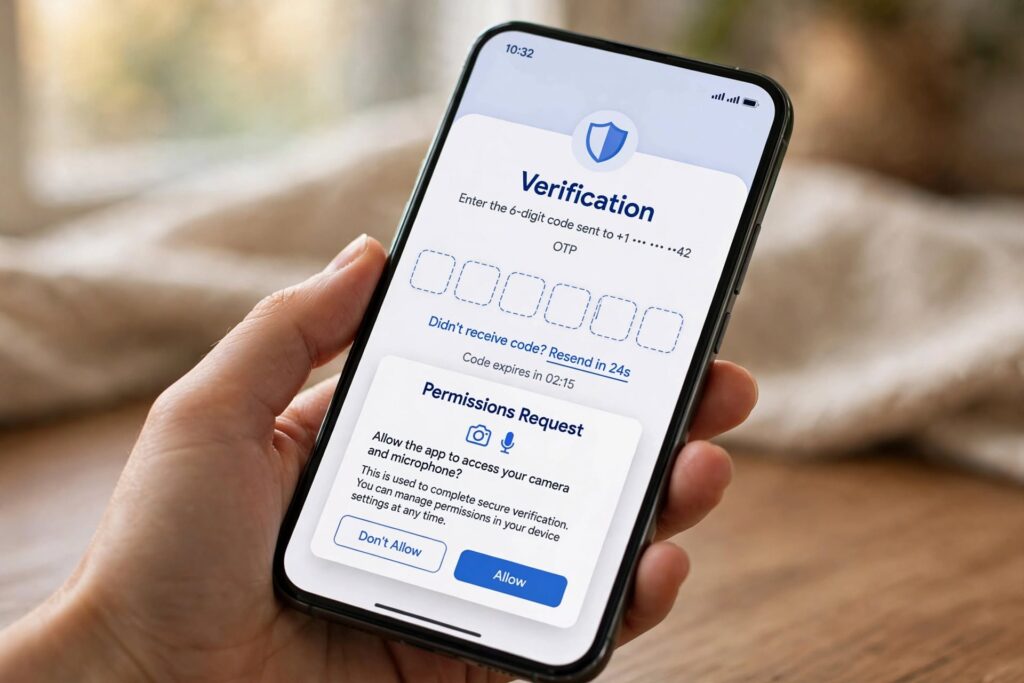
Jio4GVoice needs Phone, Contacts, and Microphone permissions granted to place calls correctly.
Fixing Common Jio Voice Problems on Samsung Galaxy
- Data works, but calls don’t connect: This is the classic VoLTE-not-registered symptom. Double-check Method 1’s toggle first; if it’s already on, toggle it off, restart, and turn it back on to force re-registration.
- VoLTE icon shows, but calls still drop: Manually select your network instead of relying on Auto. Go to Settings → Connections → Mobile Networks → Network Operators → Search Networks, and choose Jio manually.
- Jio4GVoice says “use your phone dialer” but the dialer won’t call either: This usually means your phone actually does support native VoLTE now (after a software update) and the app is now redundant — uninstall Jio4GVoice and follow Method 1 instead.
- No signal or “No Service” on the Jio SIM at all: Confirm the SIM is seated correctly and try it in another phone briefly to rule out a damaged SIM before touching any settings.
- Calls work but there’s no caller ID / HD voice badge: This is often just an IMS registration delay — it typically resolves on its own within a few hours after inserting a new SIM.
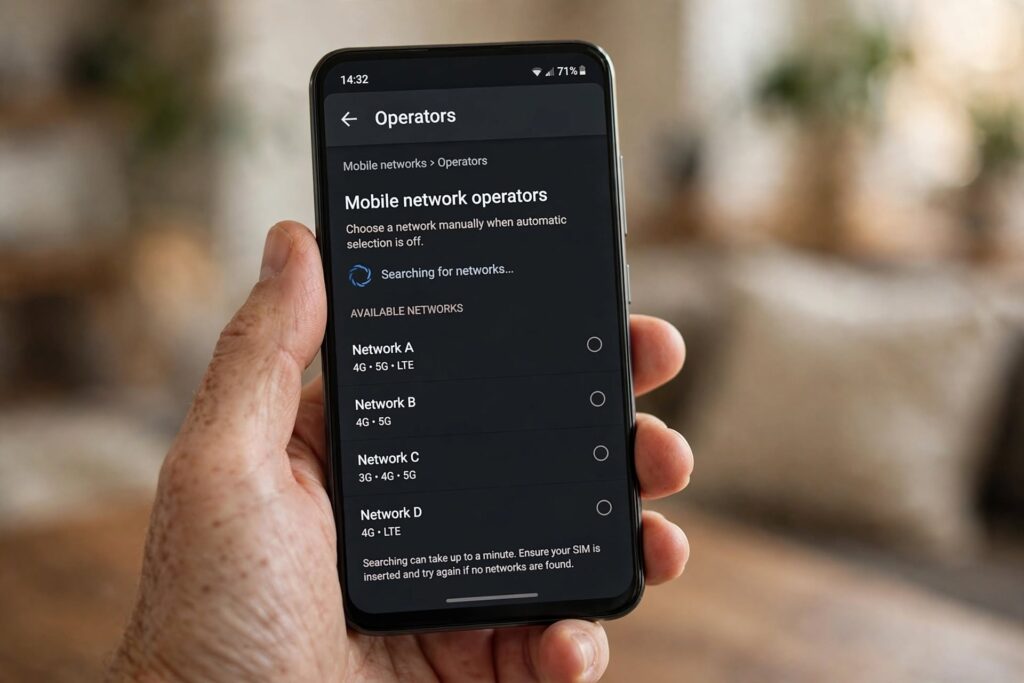
Manually selecting the network operator can resolve calls that connect briefly but then drop.
Frequently Asked Questions
Do I need the Jio4GVoice app if my Samsung Galaxy already has VoLTE?
No. If your Galaxy shows native VoLTE support and calls connect normally through the stock dialer, the Jio4GVoice app is unnecessary and can be uninstalled.
Why does my Samsung Galaxy not show a VoLTE option for Jio?
Some Galaxy models — particularly older units, unlocked international variants, or phones bought before Jio-specific carrier settings were added — don’t ship with native VoLTE support for Jio, which is why the Jio4GVoice app exists as a workaround.
Does Jio voice calling work without an internet data plan?
No. Jio’s network is VoLTE-only, meaning every call — whether through native VoLTE or the Jio4GVoice app — travels over a 4G data connection. If your data pack has expired, calling stops working too, even though it’s technically a “voice” feature.
Why do calls fail even after enabling VoLTE on Samsung Galaxy?
The most common causes are being set to a restricted network mode (3G/2G only instead of 4G Auto), a temporary IMS registration failure that clears after a restart, or weak Jio tower coverage in your specific location.
Can I use Jio Voice calling on a Samsung Galaxy that’s not officially sold in India?
Often yes, provided the phone is unlocked and supports the LTE bands Jio uses in your region. Imported or international Galaxy units sometimes lack native VoLTE certification for Jio, in which case the Jio4GVoice app is the more reliable option.
Related Jio Voice Guides
If you’re still troubleshooting calling issues on a different device, these guides from the same setup process might help:
- How to Activate Jio Voice Call on Lenovo A6000 (Full Guide)
- How to Check Net Balance in Jio (Including Jio4GVoice Users)
- How to Activate Voice Command on JioPhone (₹1500 Model)
For official troubleshooting steps straight from the carrier, Jio’s own VoLTE settings help page is a useful cross-check if your Galaxy still isn’t registering after following the steps above.
The Bottom Line
Getting Jio Voice working on a Samsung Galaxy comes down to figuring out which of the two paths your phone supports: the built-in VoLTE toggle under Mobile Networks, or the Jio4GVoice app as a fallback when native calling isn’t available. Start with the settings toggle — it’s the faster, more reliable option — and only fall back to the app if VoLTE genuinely isn’t offered on your device. If you’re traveling and just need reliable mobile data alongside your existing Jio number, an India eSIM data plan can run alongside your physical Jio SIM without affecting your calling setup at all.
